For Australian cafes & restaurants

The till that gets the small things right

One cashier on an iPad, the owner on a laptop, and guests ordering from a QR code in their own language. GST included, 5c rounding on cash, tax invoices with your ABN, bookings with a deposit, and delivery-app prices that cover the commission.

No sign-up for the demo. No lock-in, no percentage of your sales.
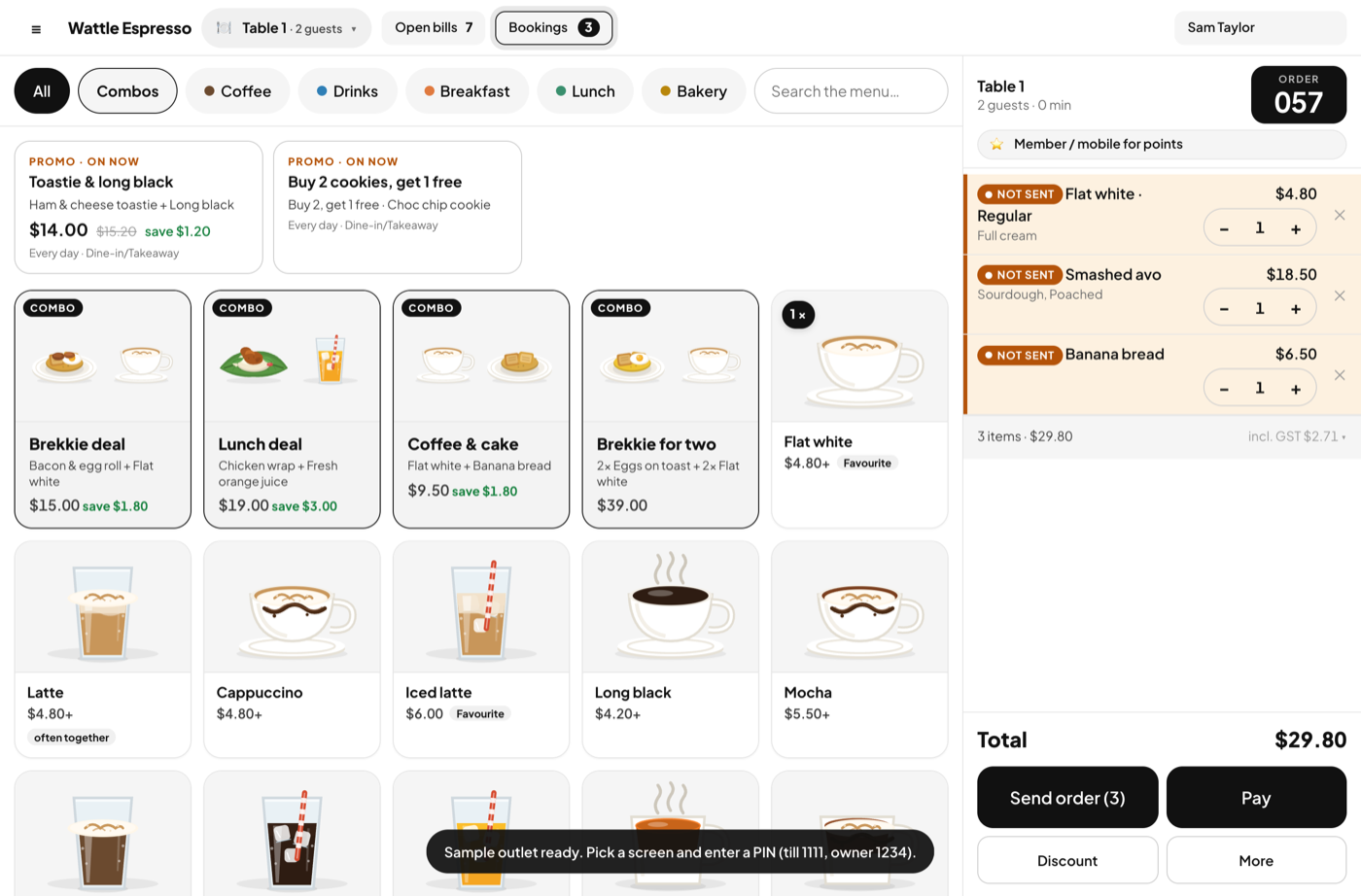
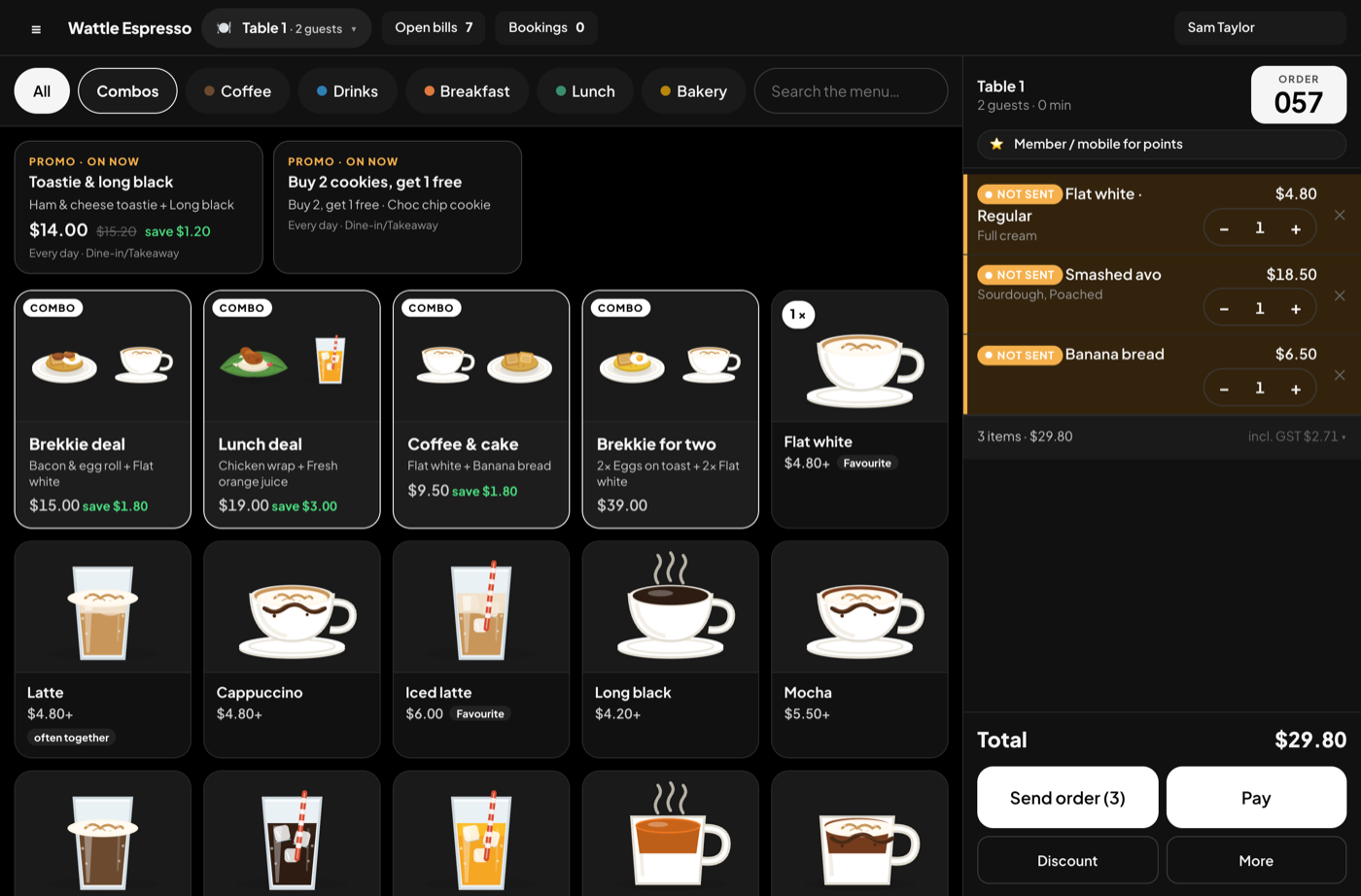
The meemoo till on an iPad: a table bill on the right, the menu with pictures on the left

Made for here

Australian by default, not by setting

The rules a cafe in Fitzroy or Surry Hills lives by are already in the till, so you set up your menu and open.

🧾

GST the way you price

Shelf prices include GST; the docket shows the GST it includes. Put your ABN in and every receipt is a tax invoice.

πŸͺ™

5c rounding, cash only

Cash rounds to the nearest 5c once, at the moment of payment. Cards and tap take the exact figure.

πŸ’³

Money never moves in the app

Your EFTPOS terminal and your drawer do the moving. The till records Cash, Card or Tap, and the change on cash β€” no surcharges, no payment fees.

πŸ›΅

Uber Eats, DoorDash, Menulog

Each channel carries its commission and a mark-up rule, so a $4.80 flat white becomes $6.00 on the app and the report shows what you kept.

πŸ“…

Bookings with a deposit

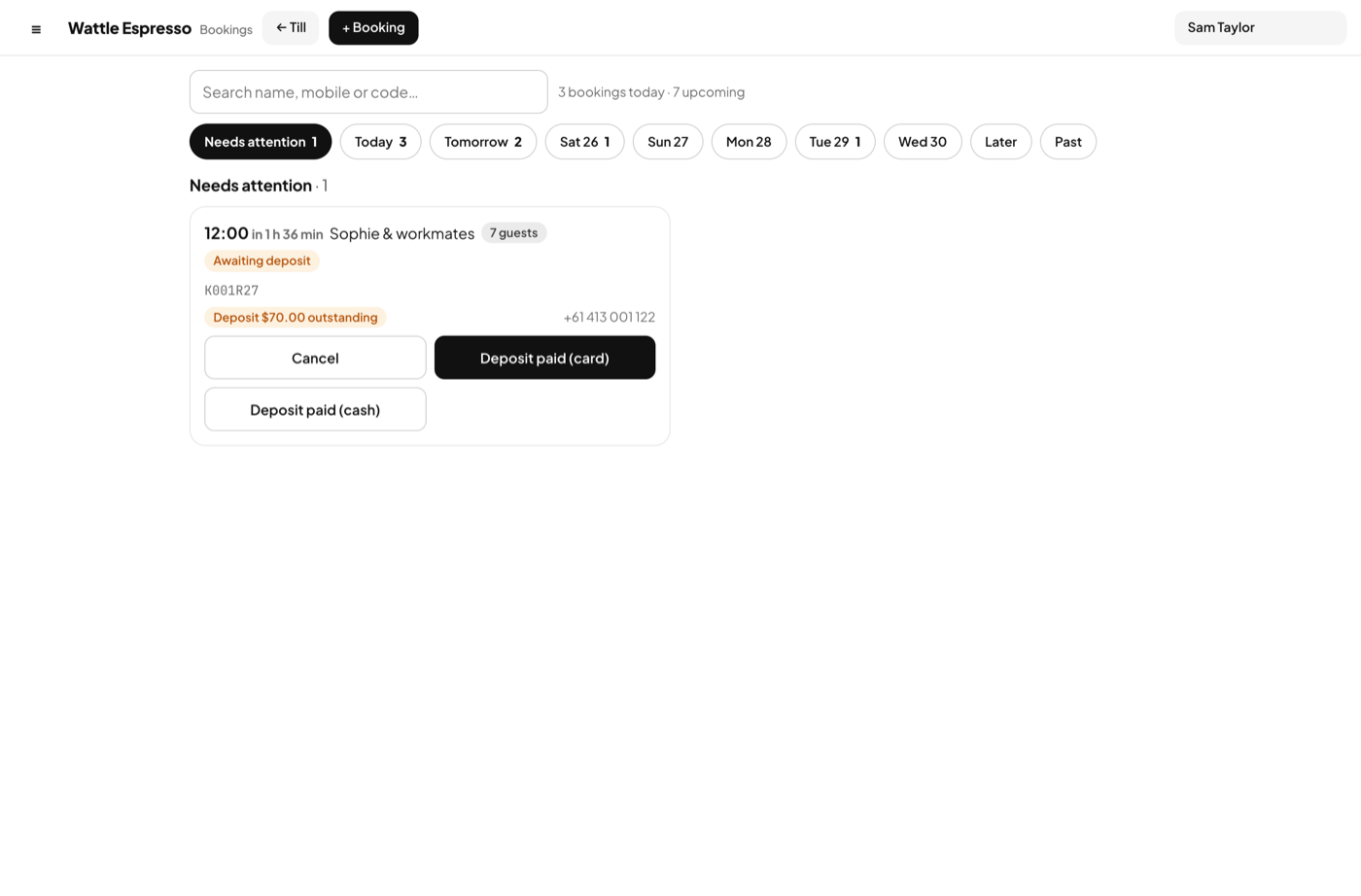
Take a booking by phone, ask a deposit from the party size you choose, and seat the party into a bill that already carries it.

πŸ—£οΈ

Four languages

The till and management in English, δΈ­ζ–‡ or ν•œκ΅­μ–΄. Guests order from their phone in English, δΈ­ζ–‡, ν•œκ΅­μ–΄ or Ψ§Ω„ΨΉΨ±Ψ¨ΩŠΨ© β€” the phone decides.

One app, three places

The till, the owner's laptop, the guest's phone

Each gets its own screen. The cashier cannot open the reports without the owner's PIN, and a guest's phone only ever sees the menu.

Till

Fast when it's busy, honest when you close.

  • Menu with pictures, combos, and promos that apply by themselves
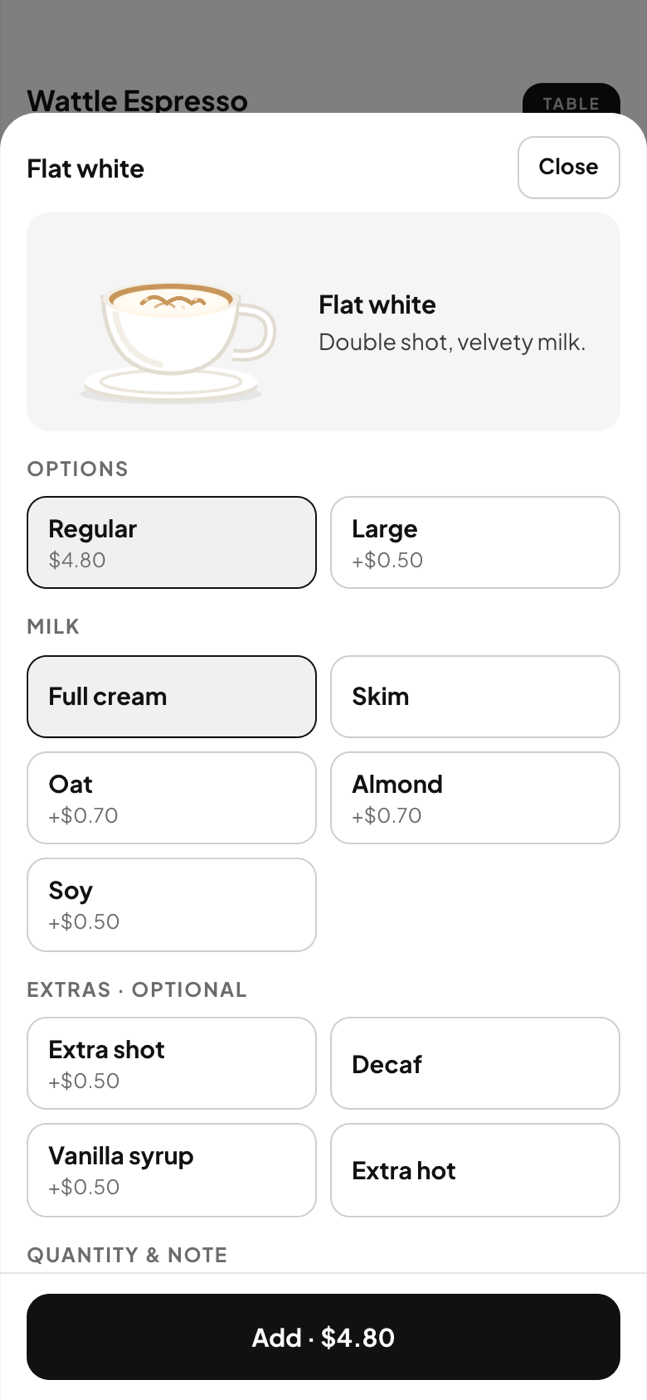
  • Sizes and extras β€” oat milk, extra shot β€” and a note for the kitchen
  • Tables and areas; join tables for a big party; move a bill
  • Strike a sent line with a reason, comp a bill, split a payment
  • Open and close a shift with the float; petty cash in its own tin
  • Points by mobile number, redeemed on the bill

More about the till β†’

The till with a table bill
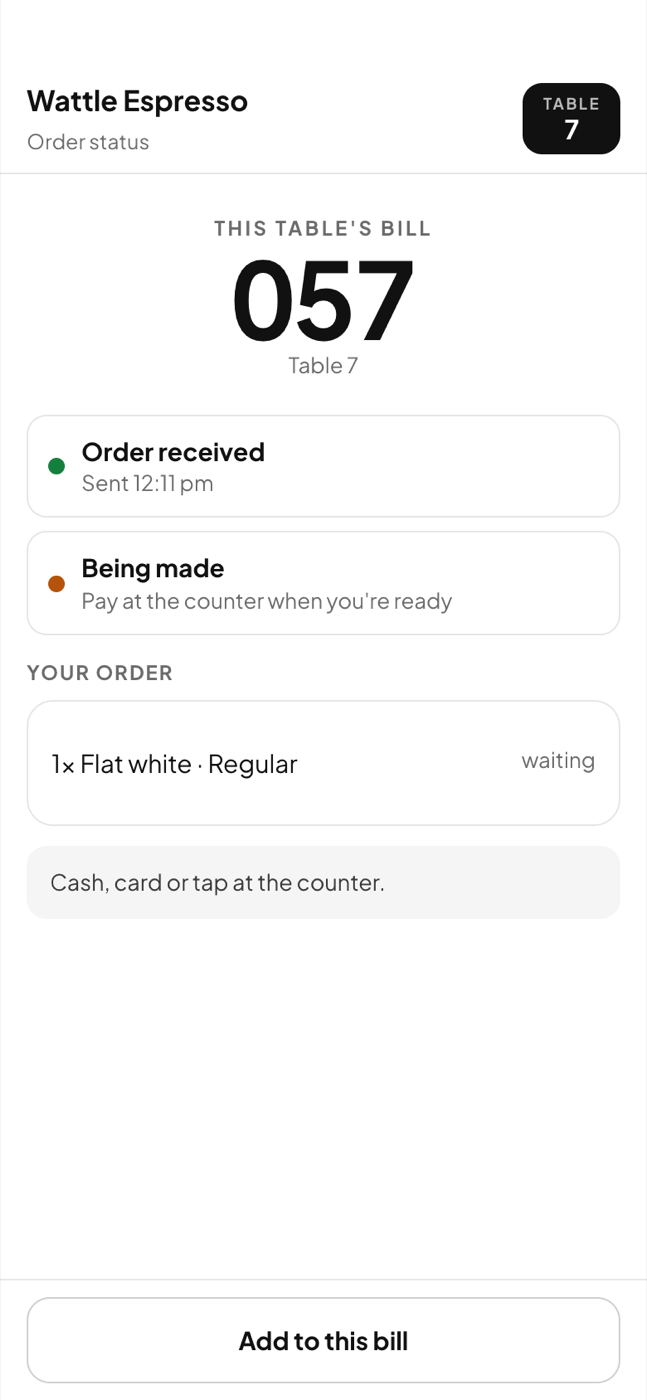
A guest's order status

Bookings

A booking book that knows your tables and your rule.

  • Slots, party size and capacity per window, set once
  • A deposit per person or per booking, from the party size you choose
  • Deposit outstanding, party running late β€” the Bookings button flashes
  • Arrived β†’ open bill, with the deposit already on it
  • No-show forfeits; a cancellation far enough ahead refunds

More about bookings β†’

Bookings at the till

Guest ordering by QR

A code on every table and one at the counter. Nothing to install.

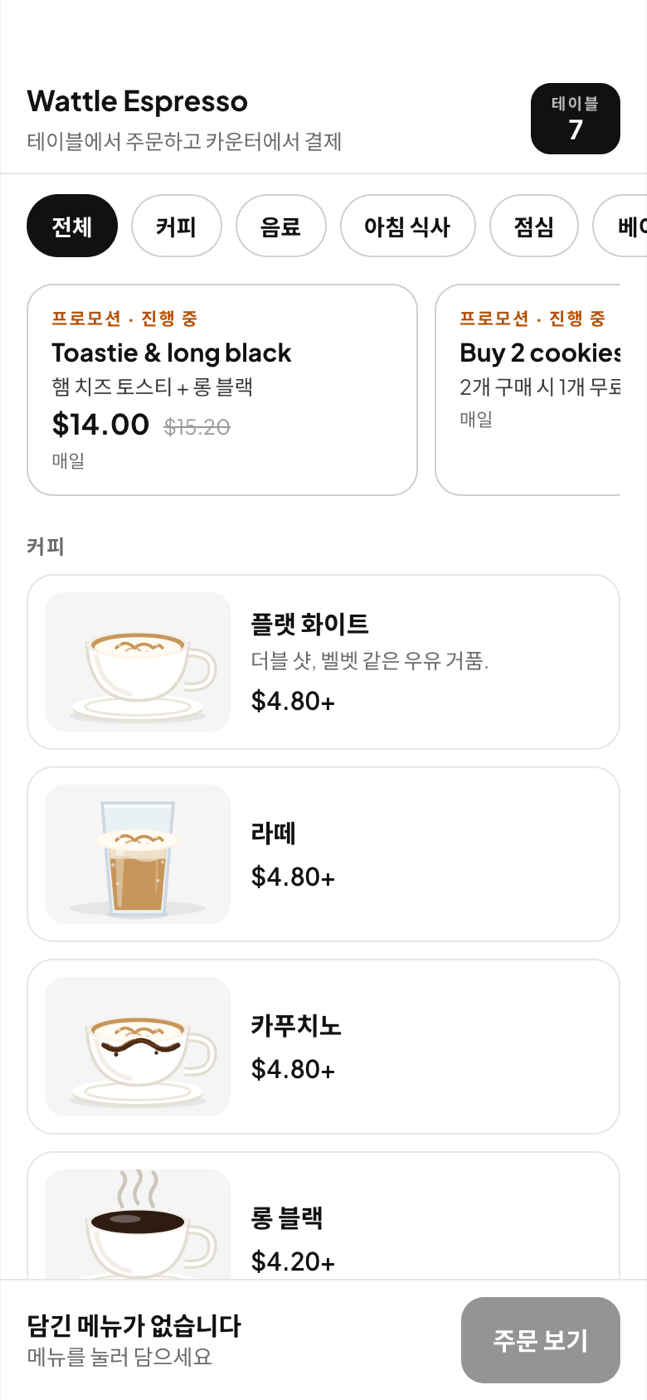
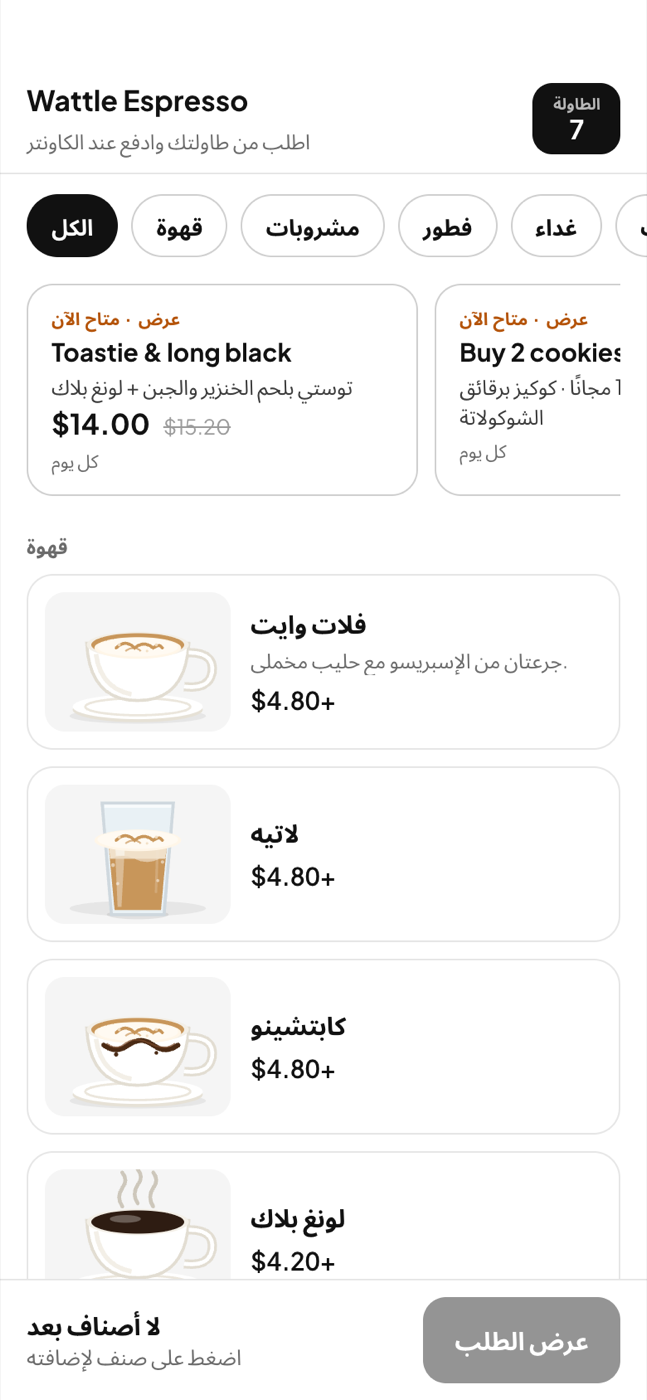
  • The menu opens in the phone's language β€” English, δΈ­ζ–‡, ν•œκ΅­μ–΄ or Ψ§Ω„ΨΉΨ±Ψ¨ΩŠΨ© β€” dishes, sizes and extras included
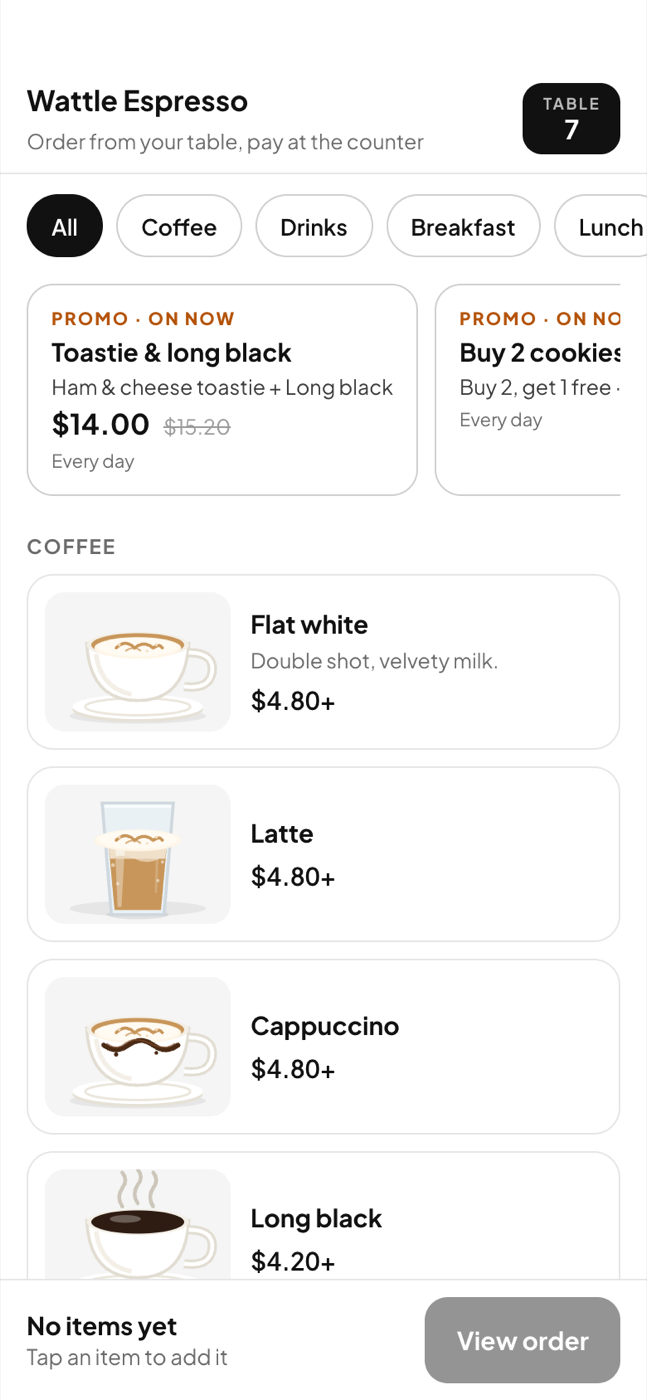
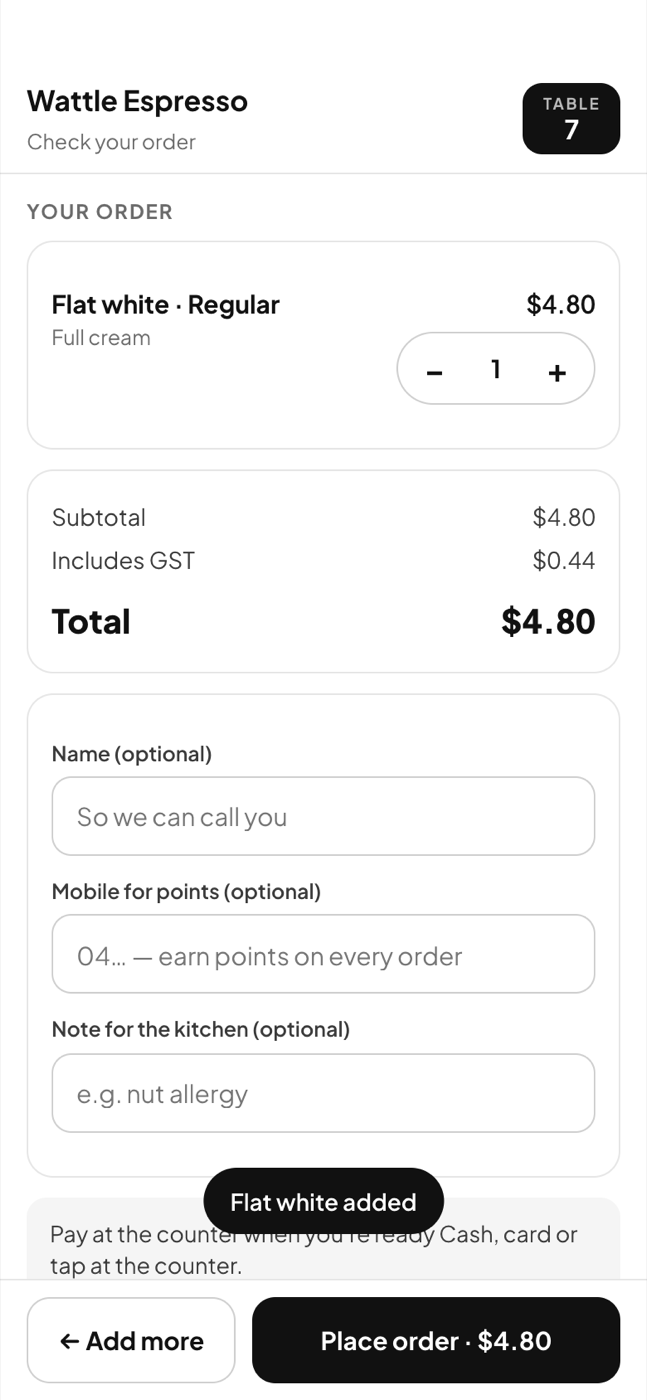
  • Sizes, extras, a note, a promo that applies itself
  • The order lands on the till as an open bill marked Guest
  • The guest pays at the counter β€” cash, card or tap, as always
  • Prices come from your menu on the server, never from the phone

Try ordering as a guest…at a Korean BBQMore about guest ordering β†’

The guest menu in English
Picking a size and milk
Checking the order

Management

Reports that answer a question, not a pile of numbers.

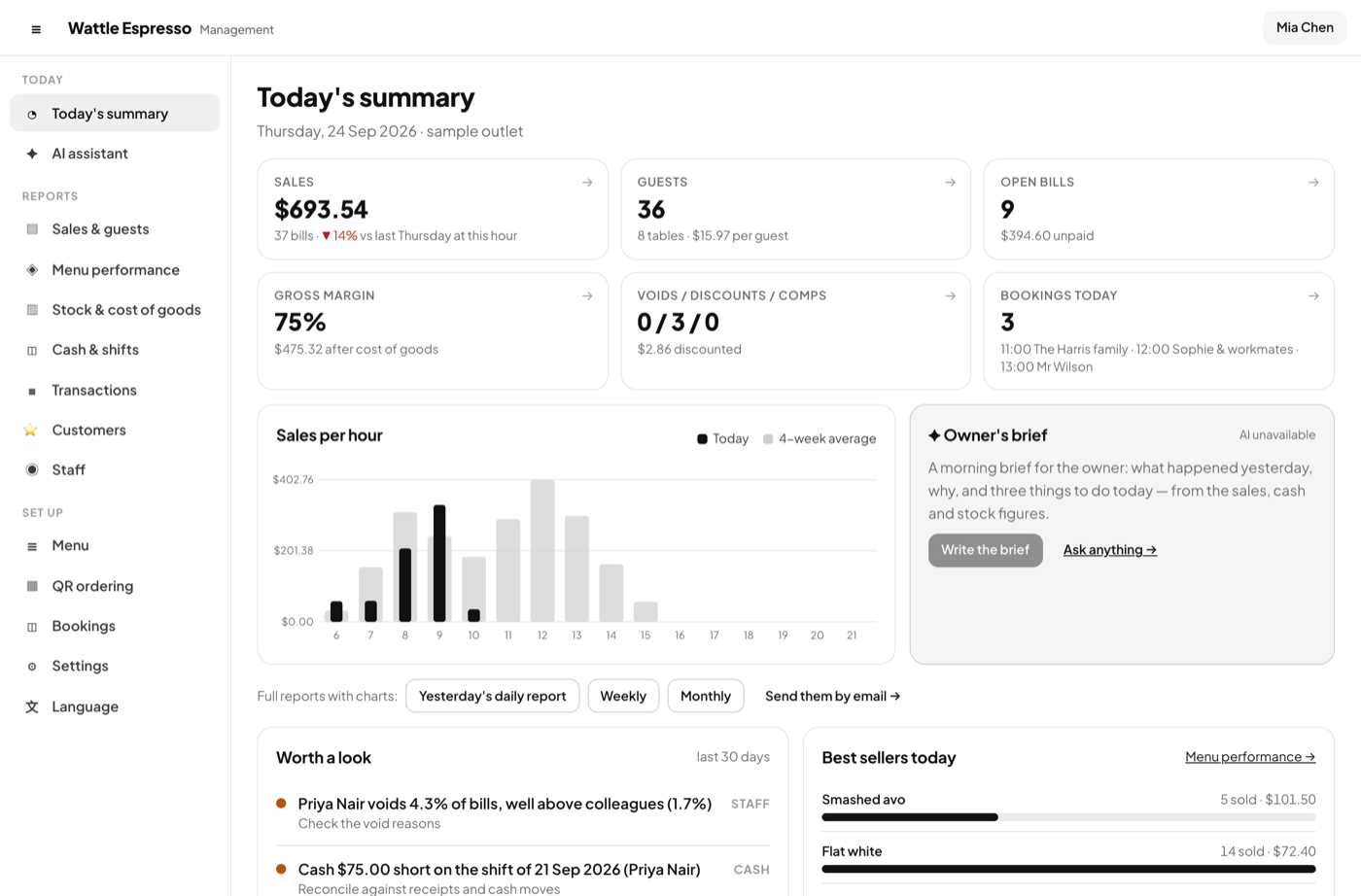
  • Today against the same weekday last week, at this hour
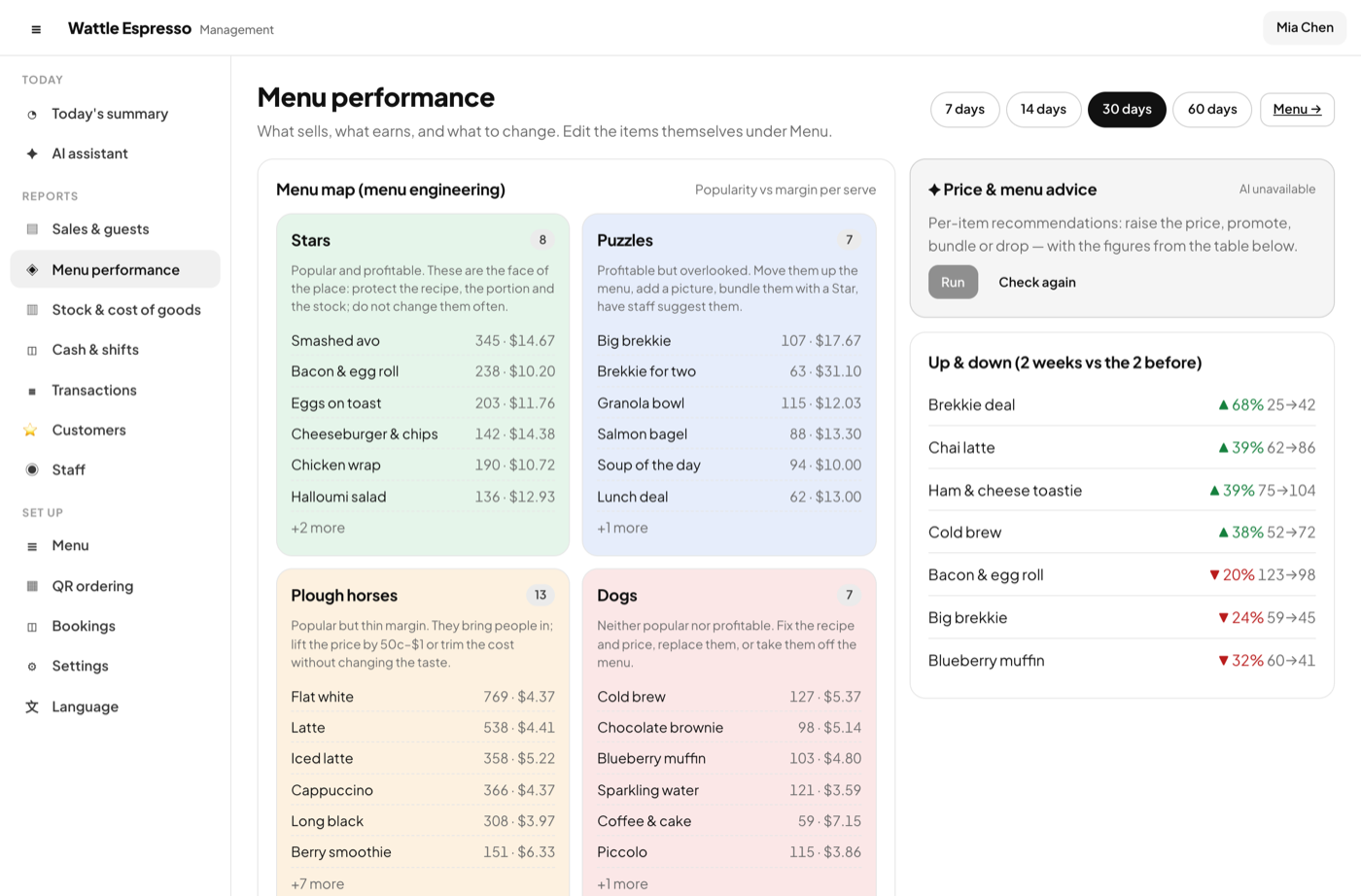
  • Menu performance: what sells, what earns, what to change
  • Stock and cost of goods from recipes; days of stock left
  • Cash and shifts with variances; every bill searchable, exported to Excel
  • Daily, weekly and monthly reports by email; an AI assistant that only quotes your figures

More about management β†’

Today's summary
Menu performance

Languages

Your staff's language on the till, your guests' on their phones

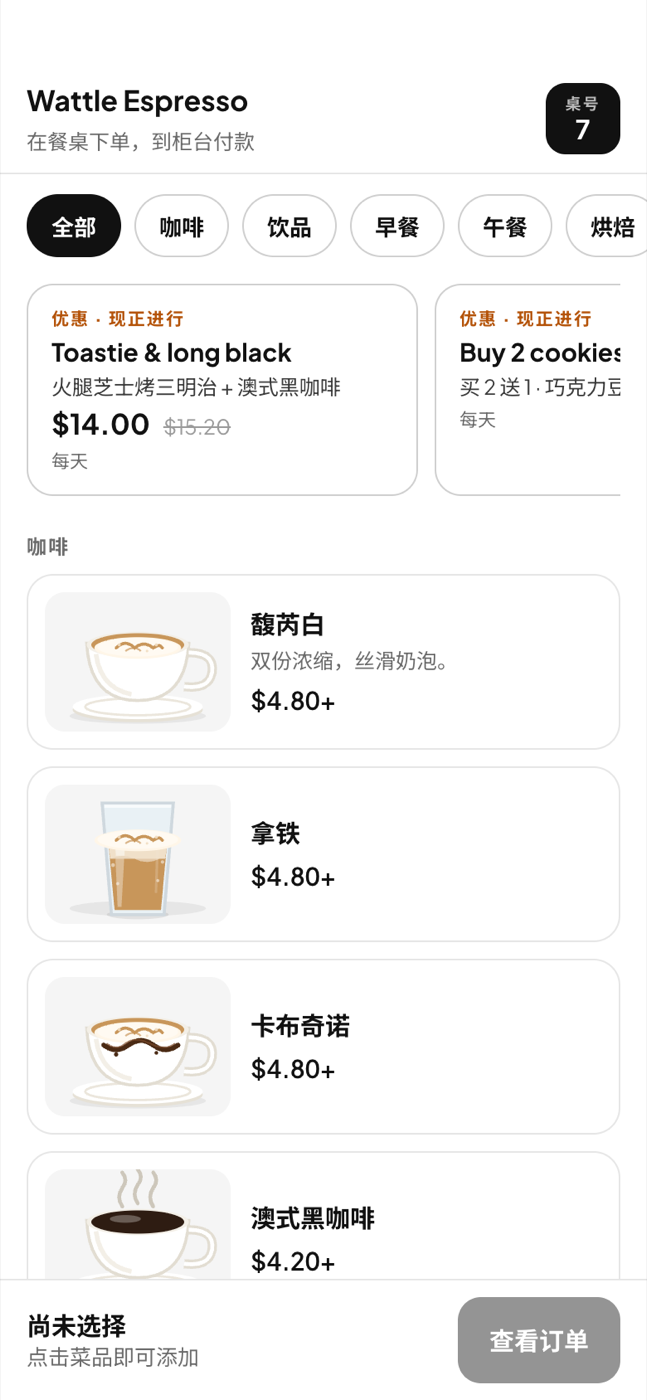
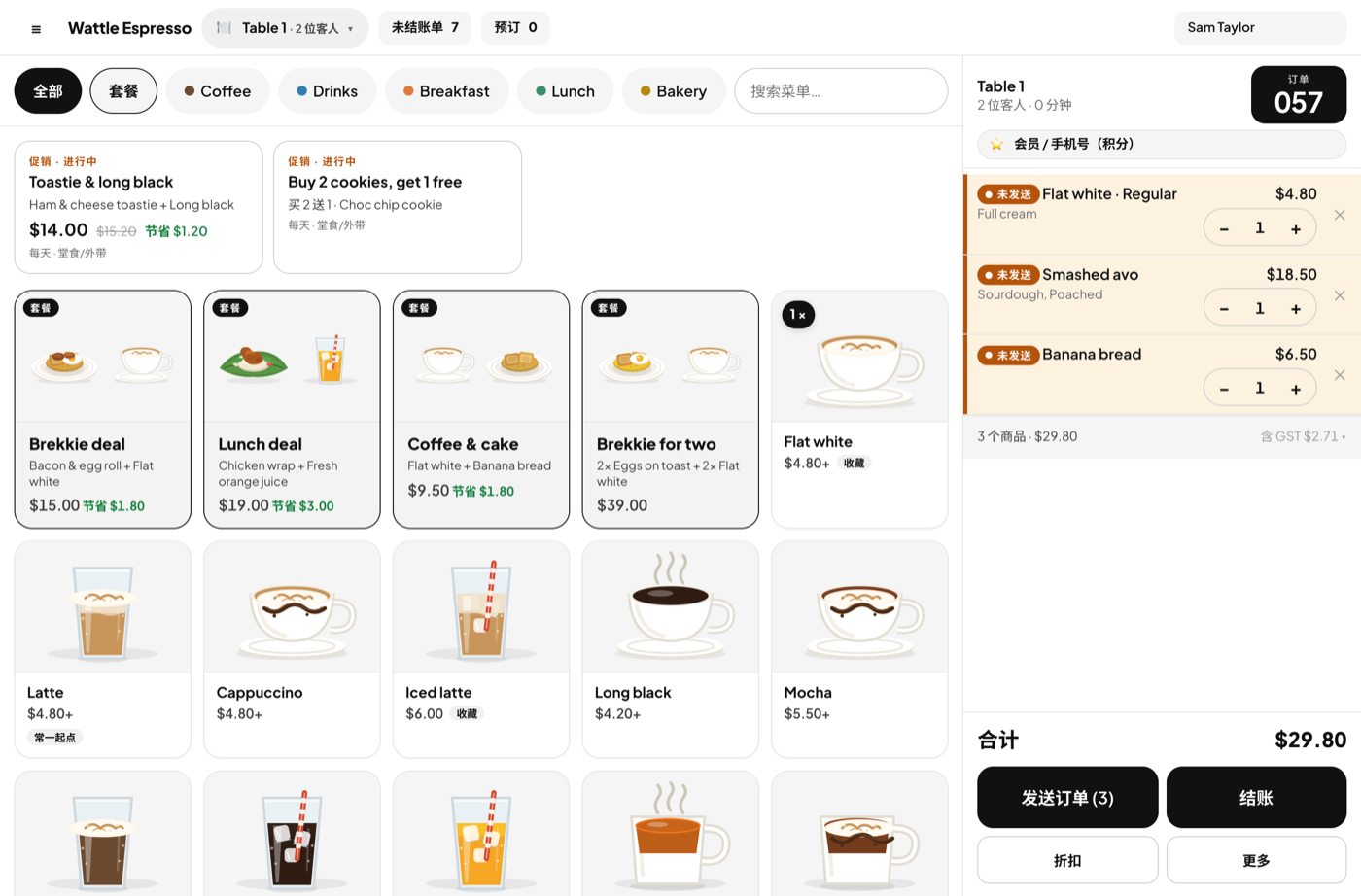
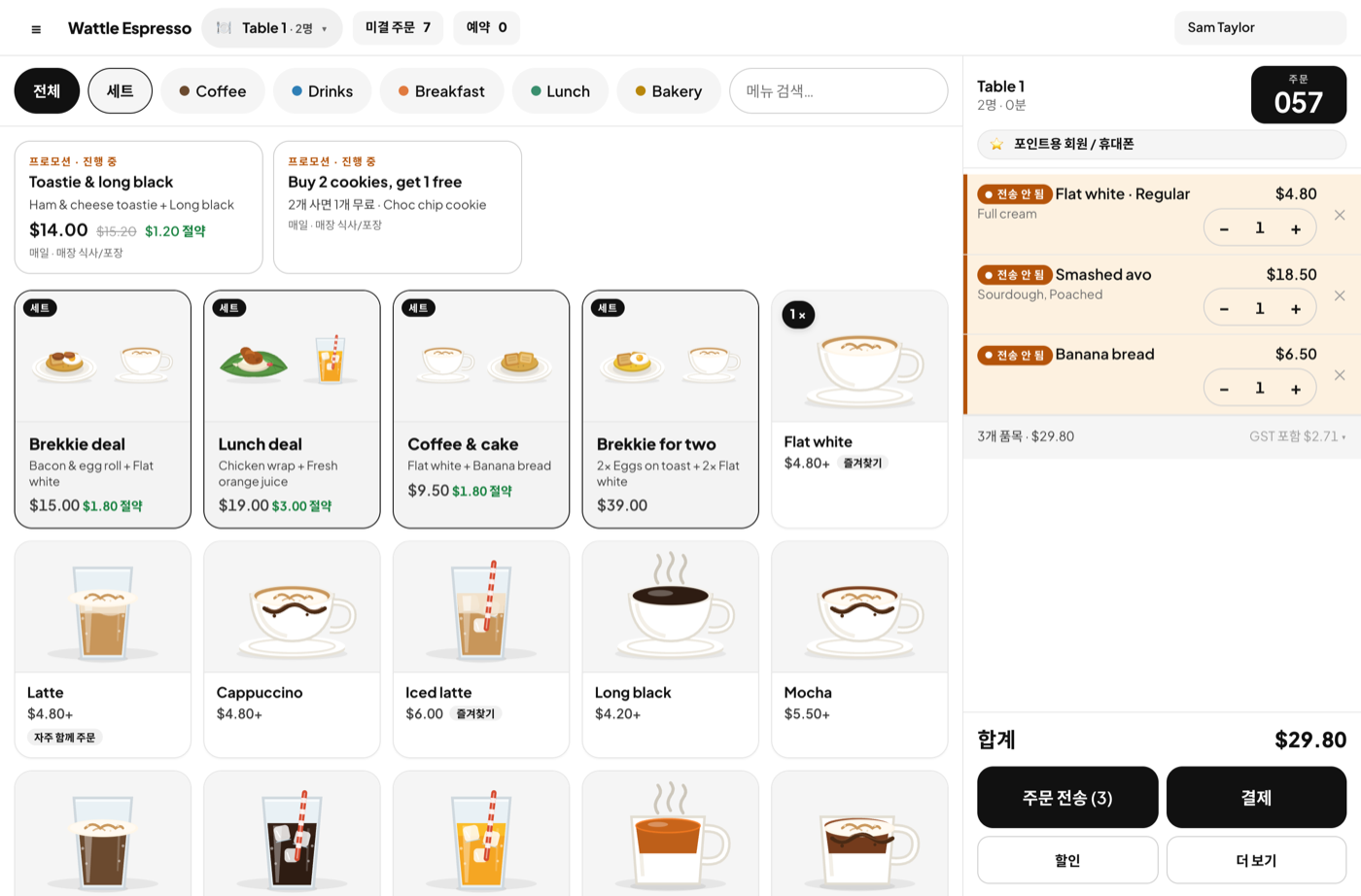
Every word of the till and management has been written in English, Simplified Chinese and Korean. The guest's ordering page adds Arabic, follows the phone's own setting β€” no flag to find β€” and shows your dishes, sizes and extras in that language too.

The guest menu in Chinese
The guest menu in Korean
The guest menu in Arabic

Your English menu stays the record; the translations sit beside each item, typed in the form or filled for the whole menu with AI. Arabic is text only β€” the layout is the same for everyone.

The till in Chinese
The till in Korean

The till in δΈ­ζ–‡ and ν•œκ΅­μ–΄. Each device keeps its own choice, under Management β†’ Language.

Looks

White by day, black by night

One accent, which is the ink itself. Colour is kept for the four states β€” good, warning, bad, info β€” and the category dots. Match the device, or pick.

The till in light mode
The till in dark mode

See it working, then make it yours

The demo is the real app with two sample venues β€” a Fitzroy cafe and an all-you-can-eat Korean BBQ β€” and 60 days of trade. Nothing to install, nothing to sign up for.

$59 a month per venue, GST included Β· first 30 days free Β· cancel any time.