meemoo / Till

A till that keeps up with the counter

Everything a cashier does on a busy morning, in as few taps as it can be: a bill per table or takeaway, pictures on the menu, extras and notes, a strike with a reason, and a payment that is a tag, not a transaction.

Till

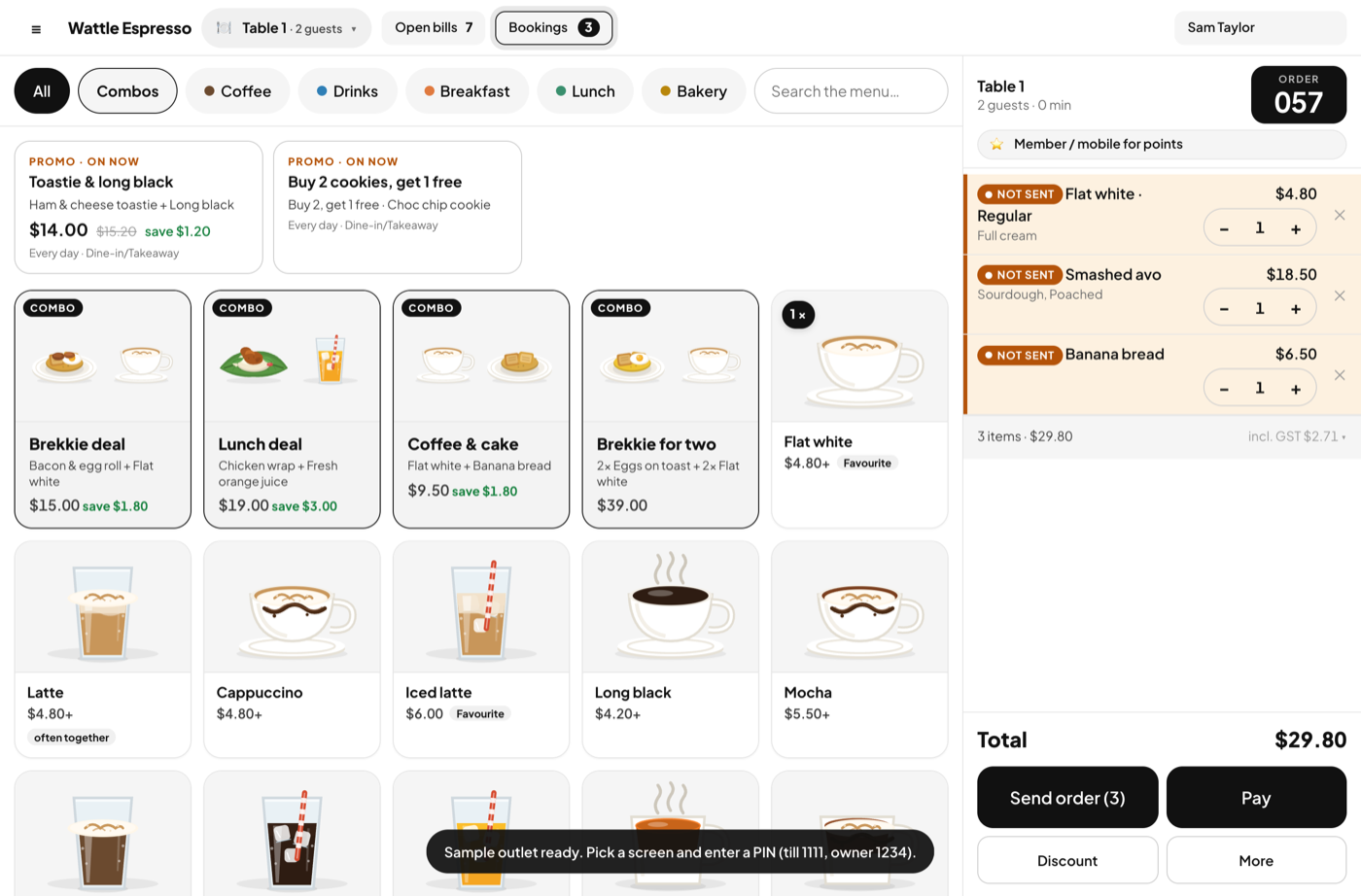
Menu with pictures, combos and promos

A new cashier finds a dish by its picture, not a list of names.

  • Categories with a colour dot; search when the menu is long
  • Combos: one line, one price, several components
  • Promos that apply by themselves — percentage or amount off, a bundle price, buy 2 get 1 — limited by day, hour and channel
  • Sold out in one tap, from the till
Menu with pictures, combos and promos

Sizes, extras and a note

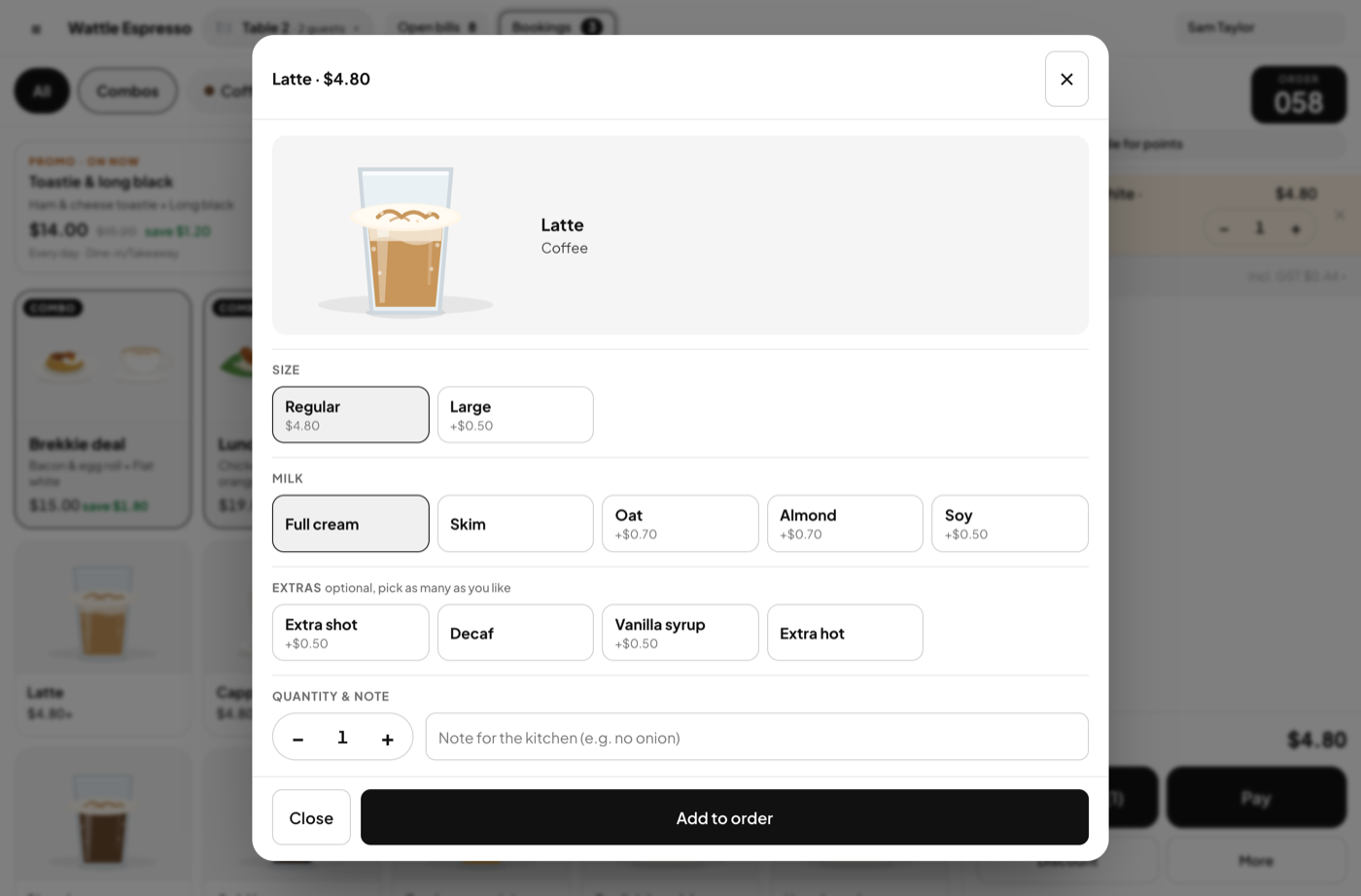
Regular or large, full cream or oat, an extra shot, no onion.

  • Option groups with a surcharge each; required or optional
  • A note on the line for the kitchen docket
  • The same options the guest sees on their phone
Sizes, extras and a note

Paying

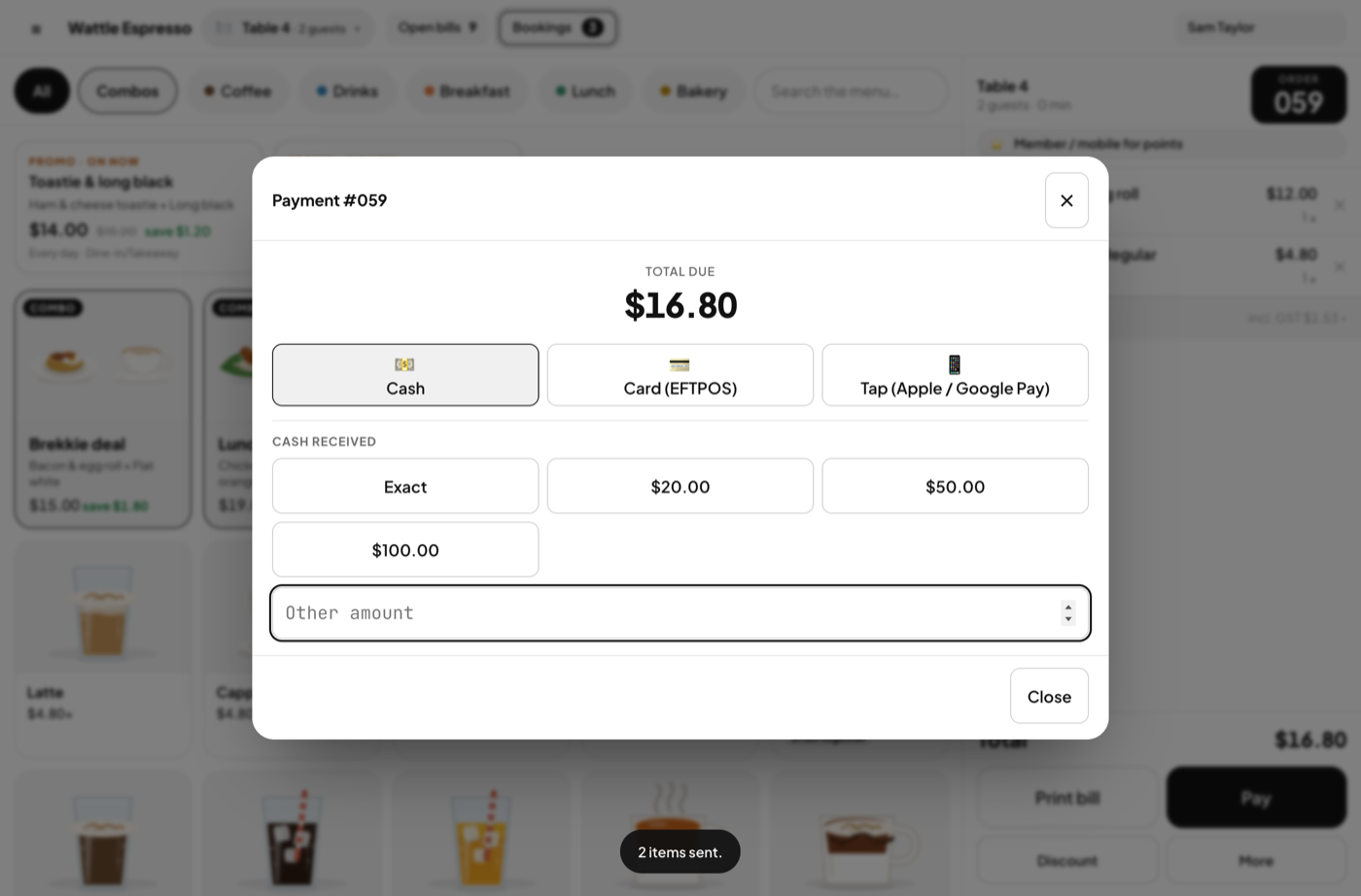
The terminal and the drawer move the money; the till writes down which way it went.

  • Cash, Card (EFTPOS) or Tap; Paid in app for a delivery order; a deposit from a booking
  • Cash rounds to 5c; the till says the change from the tender
  • Split a bill across two payments; comp it with a reason
  • A tax-invoice docket with your ABN and the GST included
Paying

Bookings, at the till

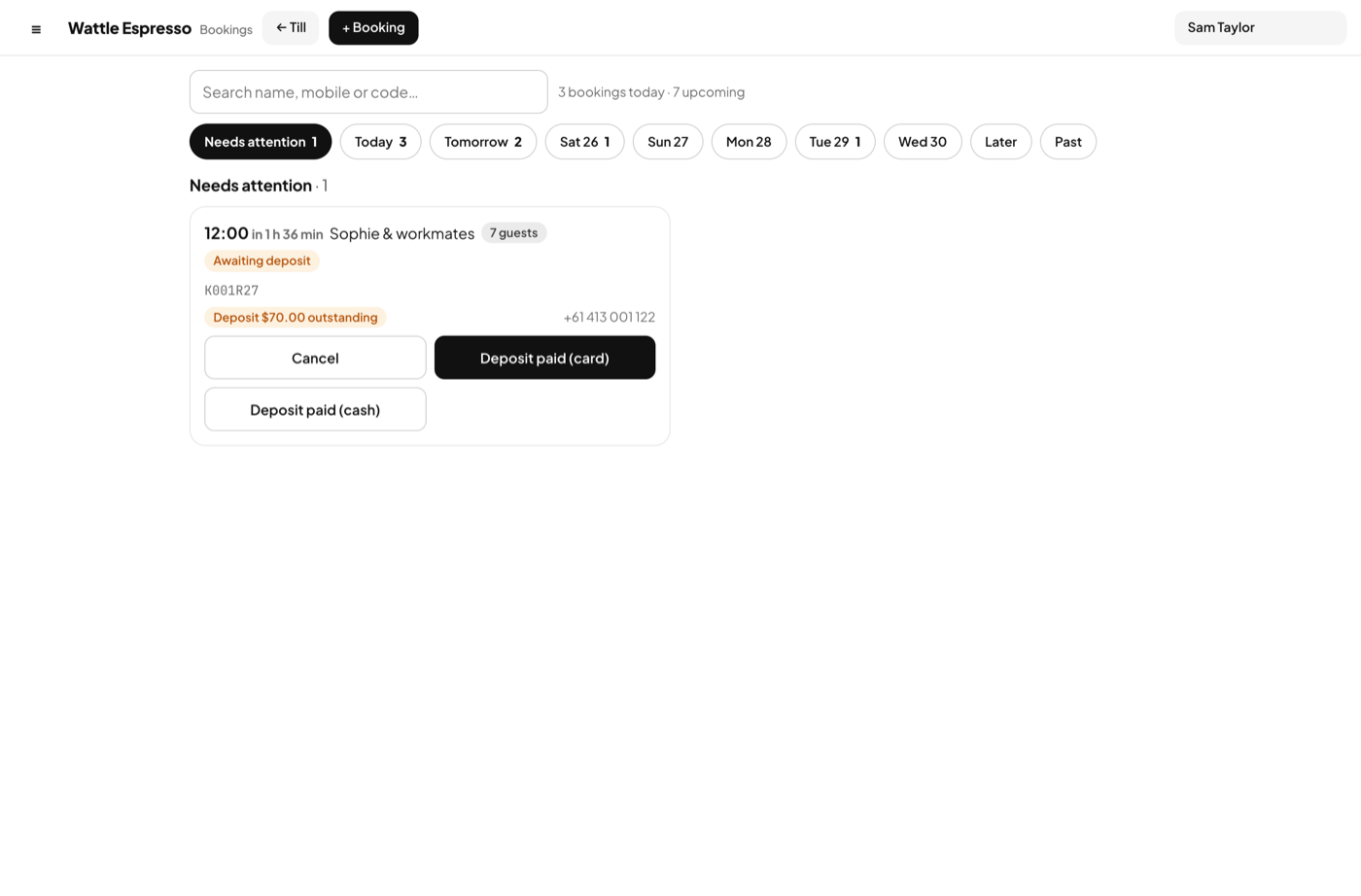
Today's list and what needs a hand, without leaving the counter.

  • Deposit outstanding, party past its time — the Bookings button flashes
  • Arrived → open bill, with the deposit already paid on it
  • Take a new booking by phone in the same place
Bookings, at the till

How it goes

A table from first tap to paid

1

Start the bill

Tap an item. The first tap asks where it is going: dine-in (guests and a table), takeaway, or a delivery app. Amber tables are taken — tap one to open its bill.

2

Send it

Lines are Not sent until you send them; the docket prints, and from then on a line can only be struck with a reason.

3

Add rounds, move, join

Add to the bill any time. Move it to another table, or join tables for a large party. A guest can add their own round from the QR code.

4

Pay

Pick the payment type. Cash asks the tender and says the change, rounded to 5c. The bill closes, the points land on the member.

5

Close the shift

Count the drawer. The till says the variance against the float, sales and cash moves, and the owner sees it in Cash & shifts.
Worth knowing

The rules, in plain words

Money never moves in the app

There is no payment integration and no surcharge logic. Your EFTPOS terminal does the card; the till records the tag. That is why there is nothing to certify and no fee per transaction.

One cashier per till

A till is a shared iPad, signed in by PIN. Staff switch by tapping the name in the bar; the shift belongs to whoever opened it.

Works without the internet

The sample runs entirely in the browser. A real venue's changes queue while the line is down and post when it is back.

Your data, one key

A venue is one key. Give it only to your own devices; anyone holding it can read and write the venue. Rotate it from Settings.

See it working, then make it yours

The demo is the real app with two sample venues — a Fitzroy cafe and an all-you-can-eat Korean BBQ — and 60 days of trade. Nothing to install, nothing to sign up for.