meemoo / Guest ordering

Guests order from a QR code, in their own language

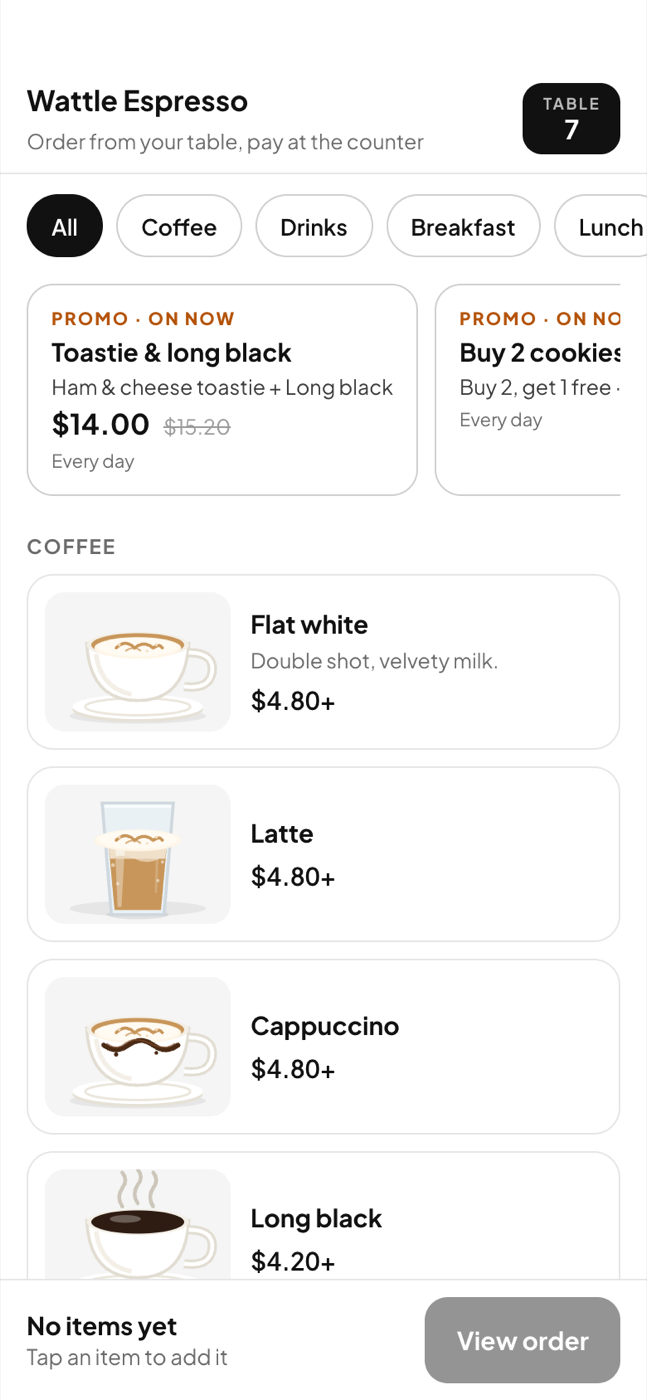
Print a code for every table and one for the counter. A guest scans, gets the menu in the language their phone speaks — English, 中文, 한국어 or العربية — and orders. The bill appears on the till; they pay at the counter.
Guest ordering

A code per table, printed from the app

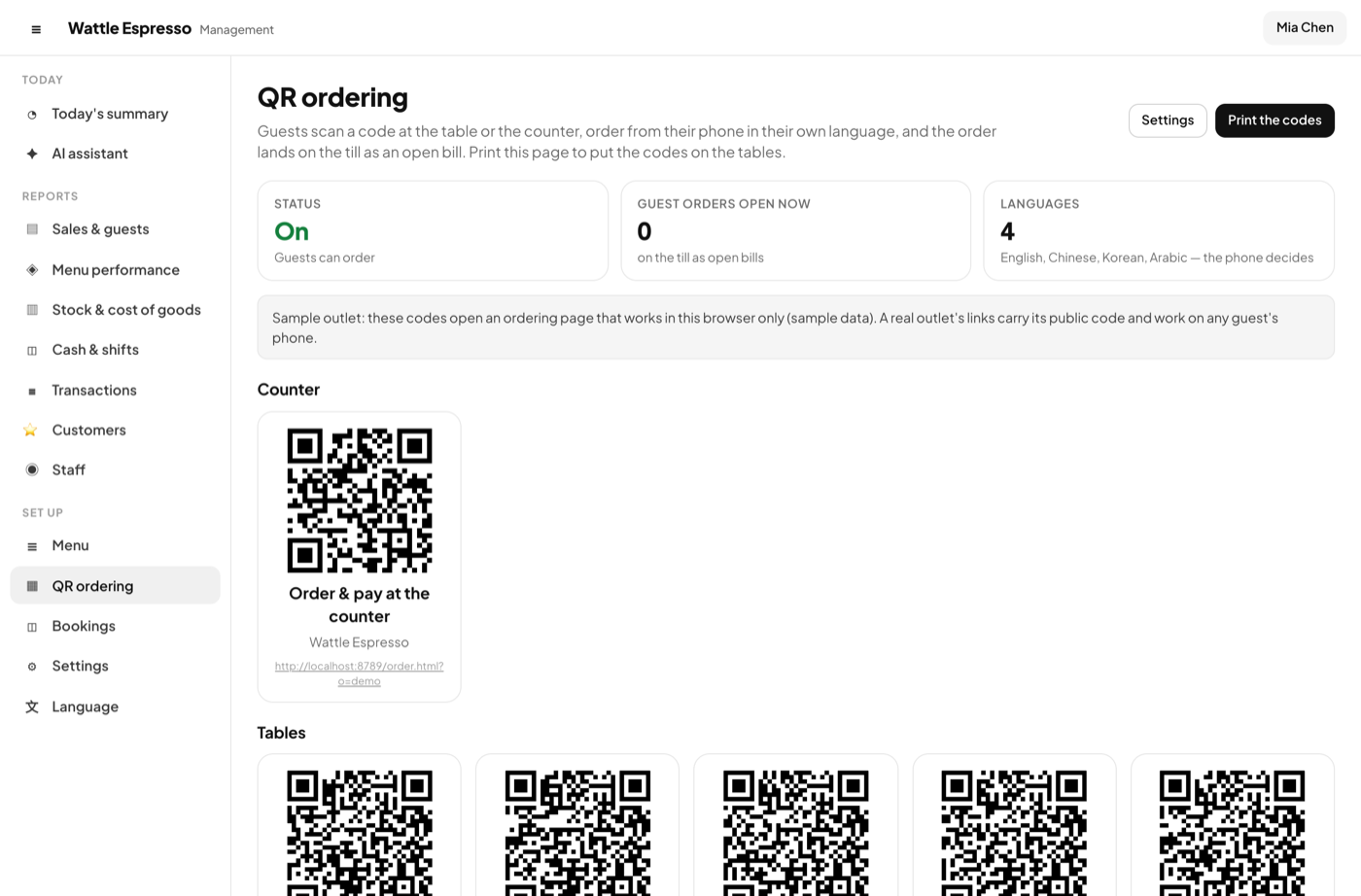
Management → QR ordering lists every table and the counter.

  • Print the page and put the codes out; a code is a link with the venue's public code
  • The switch to turn guest ordering off, and how many guest orders are open now
  • The sample's codes work in this browser; a real venue's work on any phone
A code per table, printed from the app

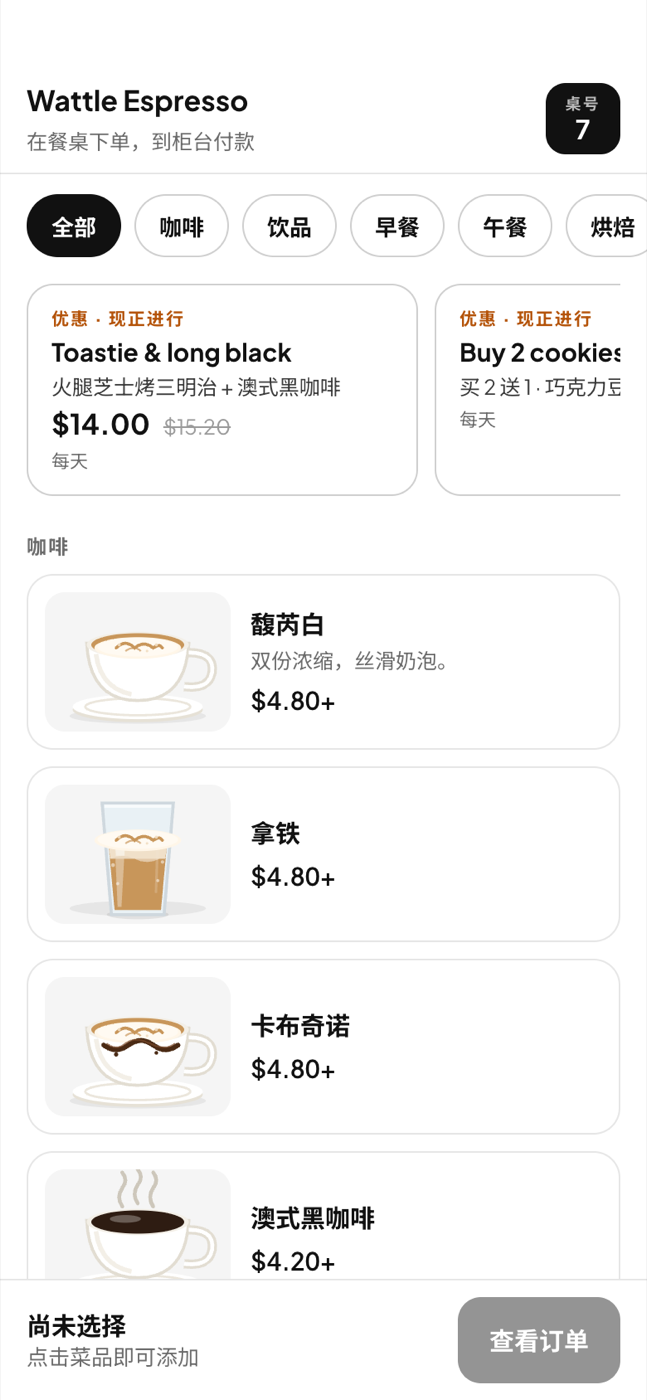
The menu, translated around your dishes

The page follows the phone's language setting. The dishes stay in the words you wrote.

  • English, Simplified Chinese, Korean and Arabic, from the phone's own setting — no chooser to find
  • Dish names, descriptions, sizes, extras and categories in that language: typed in the item form, or filled for the whole menu with AI
  • Promos on now, shown at the top and applied by themselves
  • Arabic is translated text in the same left-to-right layout
The menu, translated around your dishes

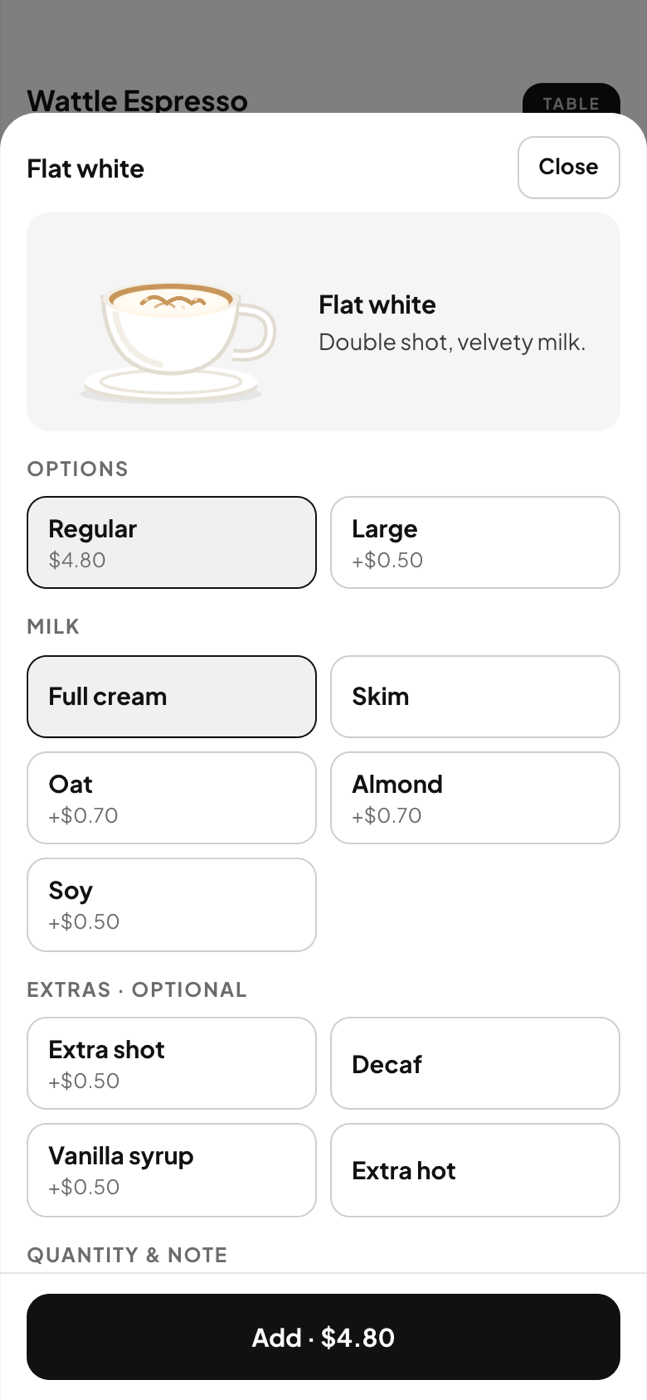
Sizes, extras, a note

The same option groups the till has, priced the same.

  • A required group picks its first option; optional ones start empty
  • A note for the kitchen on the line
  • Add · $5.50 shows the price before it is added
Sizes, extras, a note

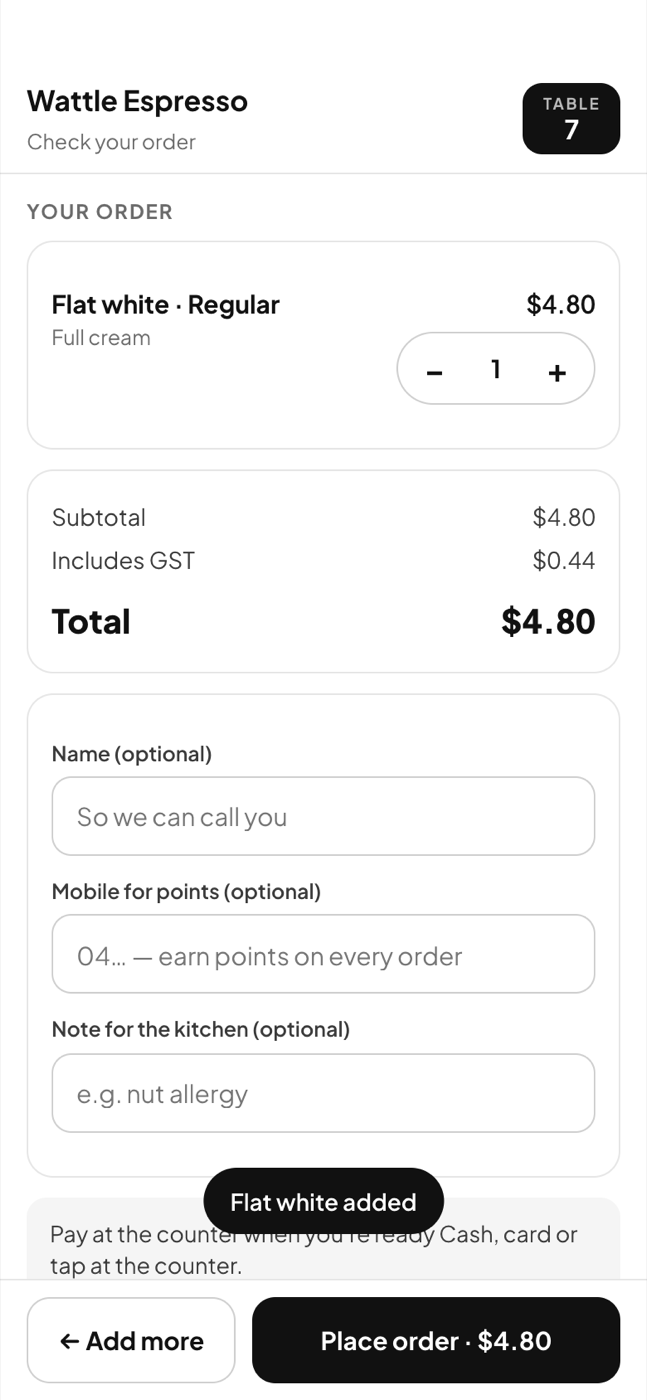
Check, then order

Subtotal, the GST it includes, the promo that applied, and the total.

  • At a table a name is optional; at the counter it is how you call them
  • A mobile number earns points on the bill, and makes them a member
  • A second round from the same phone joins the same bill
Check, then order

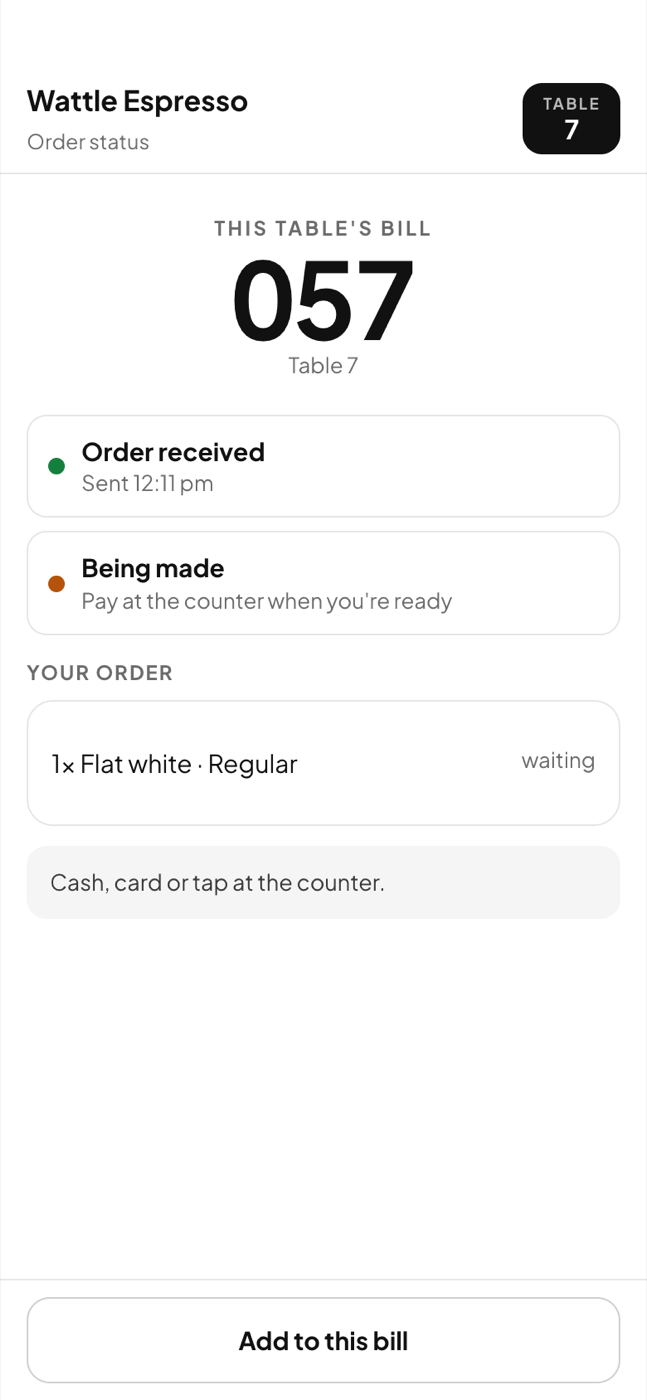
Status, and the till

The guest sees their number and what is happening; the till sees a bill marked Guest.

  • Order received → being made → paid, moving by itself
  • On the till, Open bills flashes until the bill is opened
  • The guest pays at the counter: cash, card or tap, as always
  • Switch guest ordering off in one tap when you need to
Status, and the till

How it goes

Scan to paid

1

Print the codes

Management → QR ordering lists a code per table and one for the counter. Print the page, put them out.

2

Scan

The menu opens in the phone's language. No app, no sign-up, no card.

3

Order

The order arrives on the till as an open bill on that table, marked Guest. The kitchen docket prints when the cashier sends it.

4

Pay at the counter

The cashier opens the bill and takes the payment as usual. The status page turns to Paid — thanks!

Worth knowing

The rules, in plain words

Prices come from the server

The phone sends what was picked; the server prices it from your menu and your channel rule. A tampered price cannot reach the bill.

The code opens the menu, nothing else

A venue has a public code that lets a phone read the menu and place an order. It gives no access to bills, members or settings.

Sold out is instant

Mark an item sold out on the till and the guest page refuses it on the next tap.

Closed means closed

Outside your opening hours the page says when you open next and does not take orders.

See it working, then make it yours

The demo is the real app with two sample venues — a Fitzroy cafe and an all-you-can-eat Korean BBQ — and 60 days of trade. Nothing to install, nothing to sign up for.