meemoo / Management

Reports that answer a question

Today's figures against the same weekday last week, the menu sorted by what earns, stock counted from recipes, cash reconciled per shift, every bill searchable — and an assistant that explains the numbers without inventing any.
Management

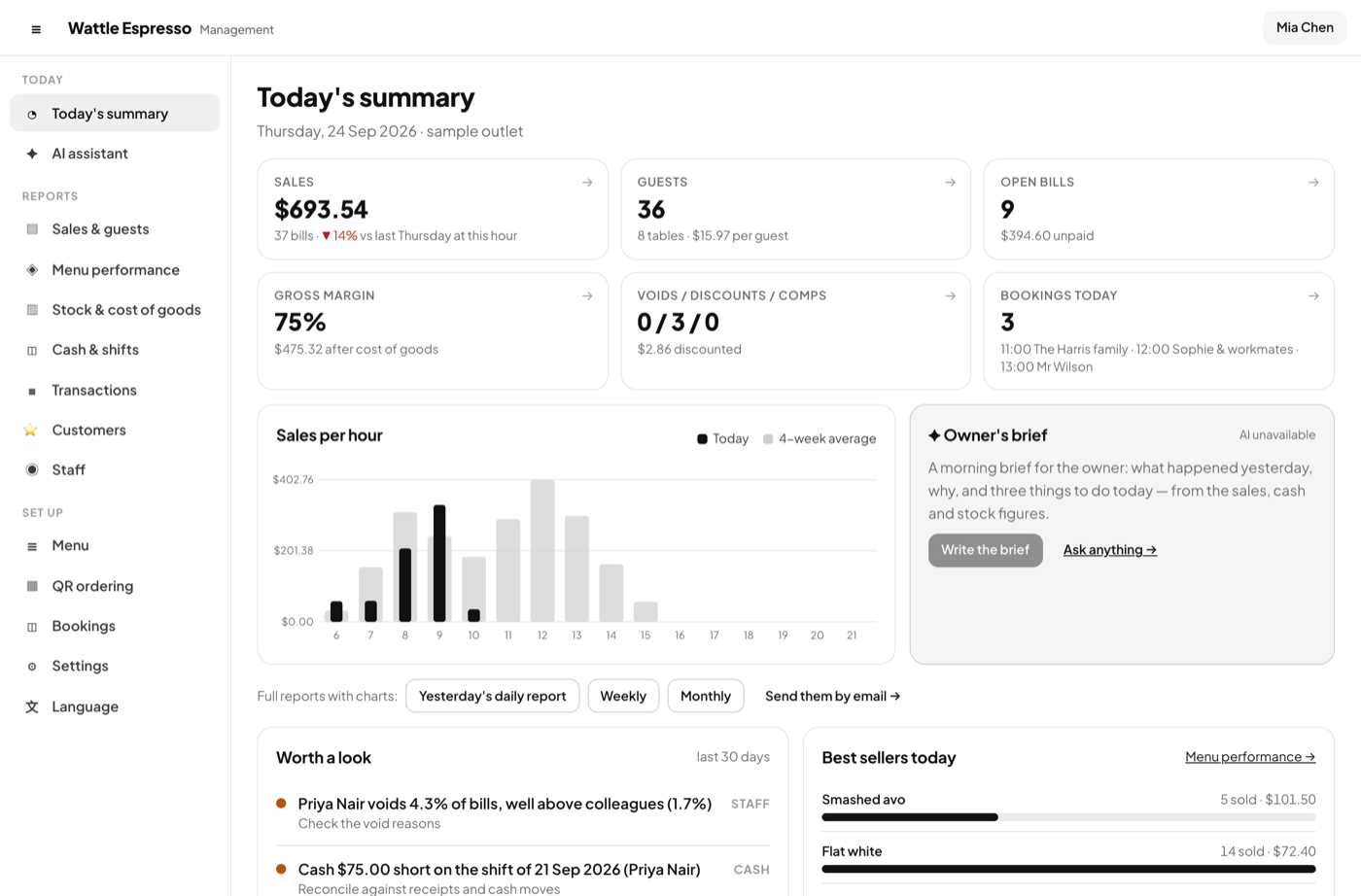
Today's summary

The morning glance: sales, guests, open bills, margin, voids, bookings today.

  • Sales per hour against a four-week average
  • Worth a look: the three things that moved, with the page to fix them
  • Best sellers today; the owner's brief when an AI key is set
Today's summary

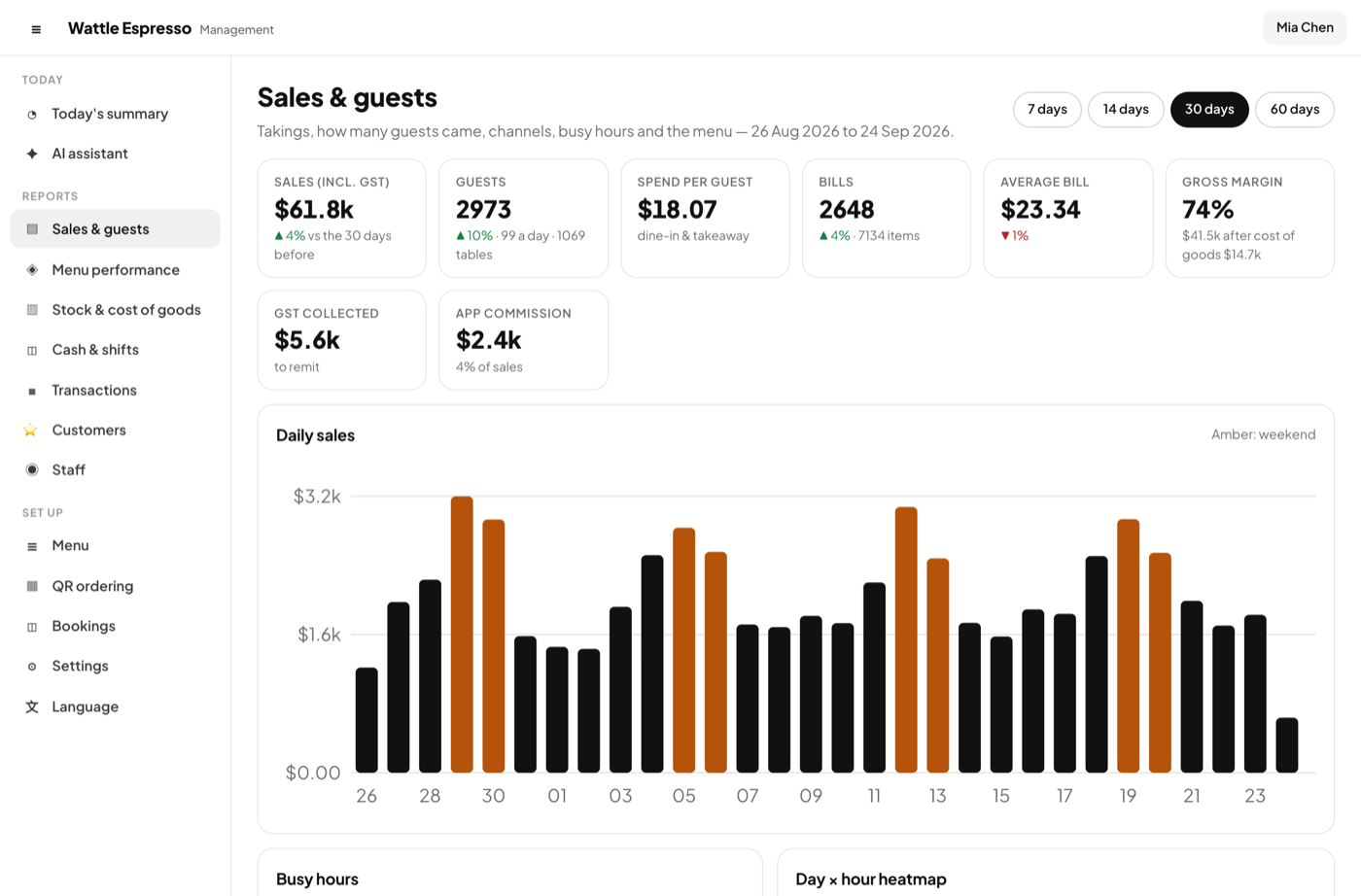
Sales and guests

Takings, guests, busy hours, channels with their commission.

  • A day × hour heatmap of when the room is full
  • Channels side by side, with what the delivery apps kept
  • Payment types, discounts, comps and voids with their reasons
Sales and guests

Menu performance

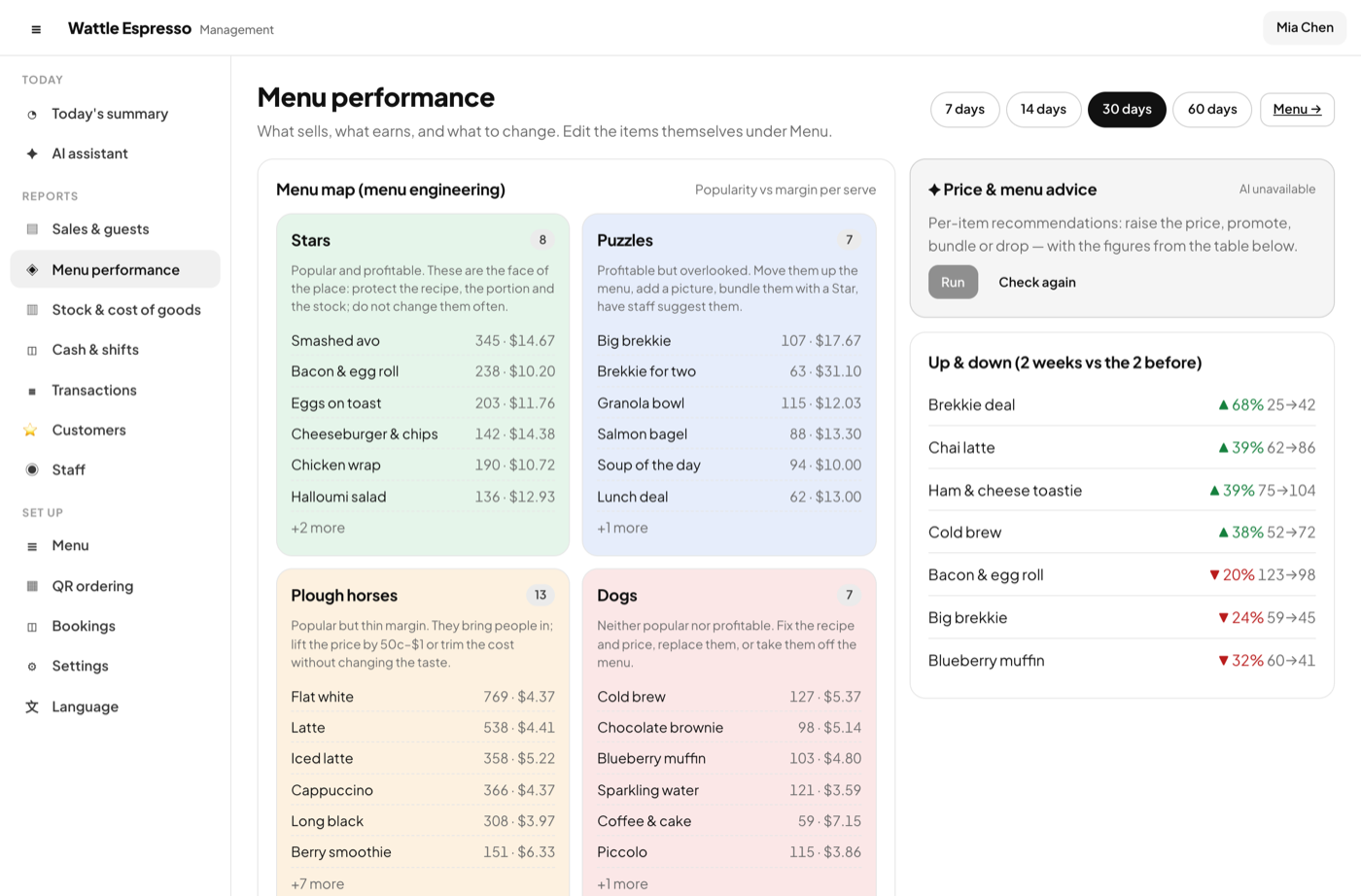
Menu engineering, written out: stars, plough-horses, puzzles, dogs.

  • Quantity and margin per item, the quadrant it sits in, and what to do about it
  • What sells together — the pairs a combo could be built from
  • A weekday forecast from the last weeks, for prep and rosters
Menu performance

Stock and cost of goods

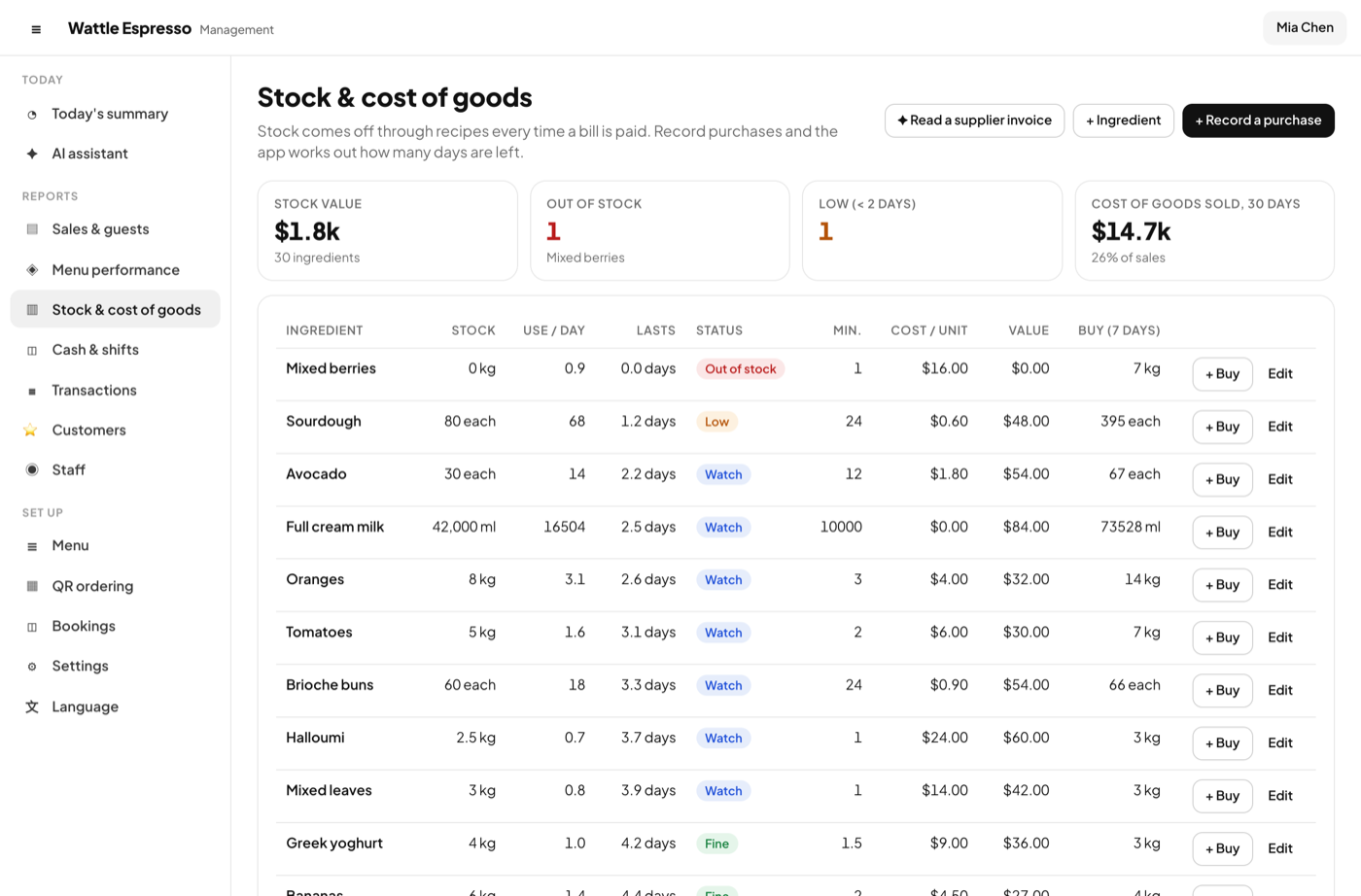
Every dish has a recipe; every sale takes the ingredients off.

  • Days of stock left at the current pace; low and out flagged
  • Stock in with the cost, so the margin is real
  • The cost of goods on every report
Stock and cost of goods

Cash and shifts

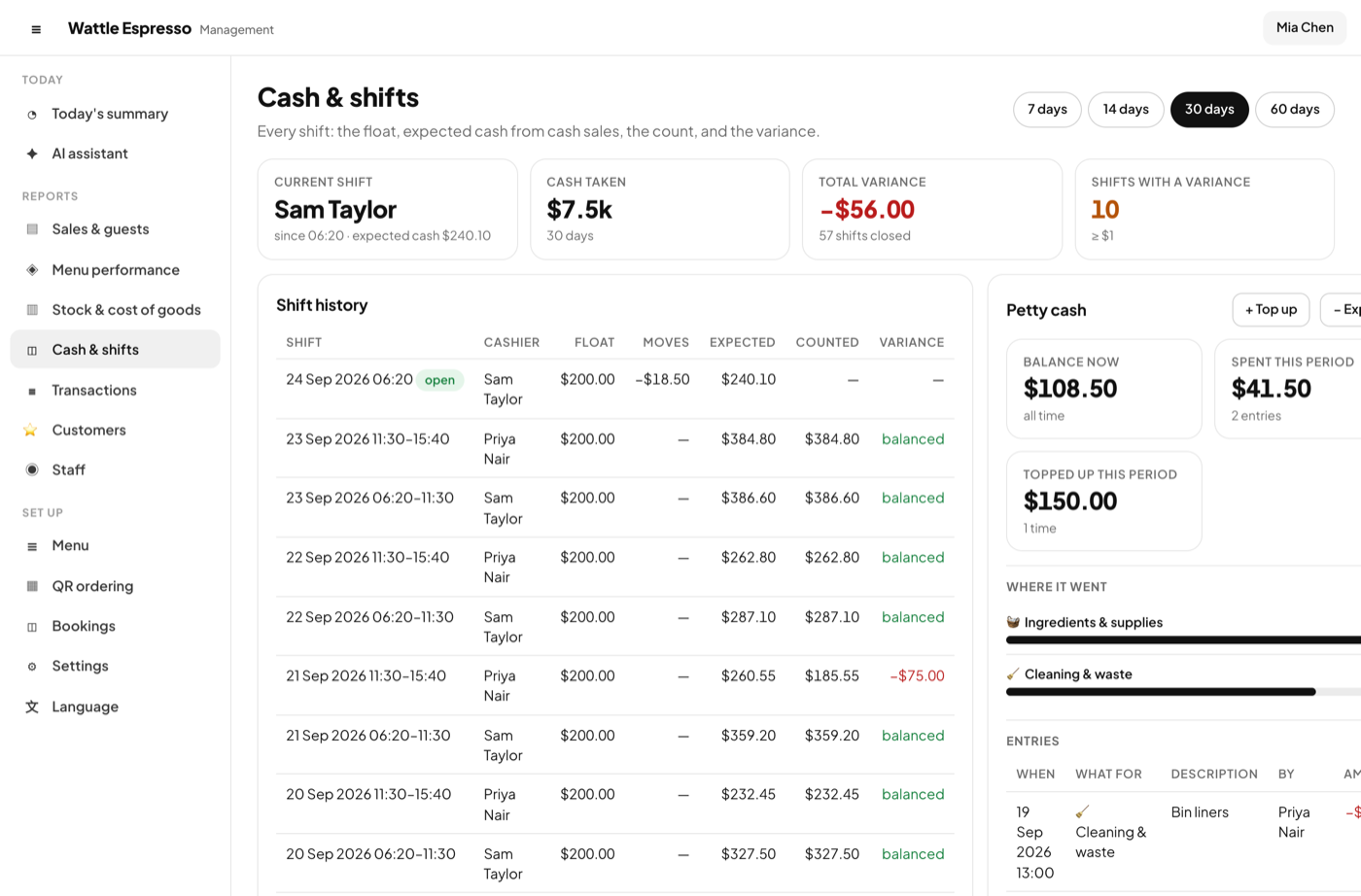
The drawer reconciled, shift by shift.

  • Each shift's float, expected and counted cash, and the variance
  • Cash in and out during the shift, with a reason
  • Petty cash in its own tin, with a category
Cash and shifts

Transactions

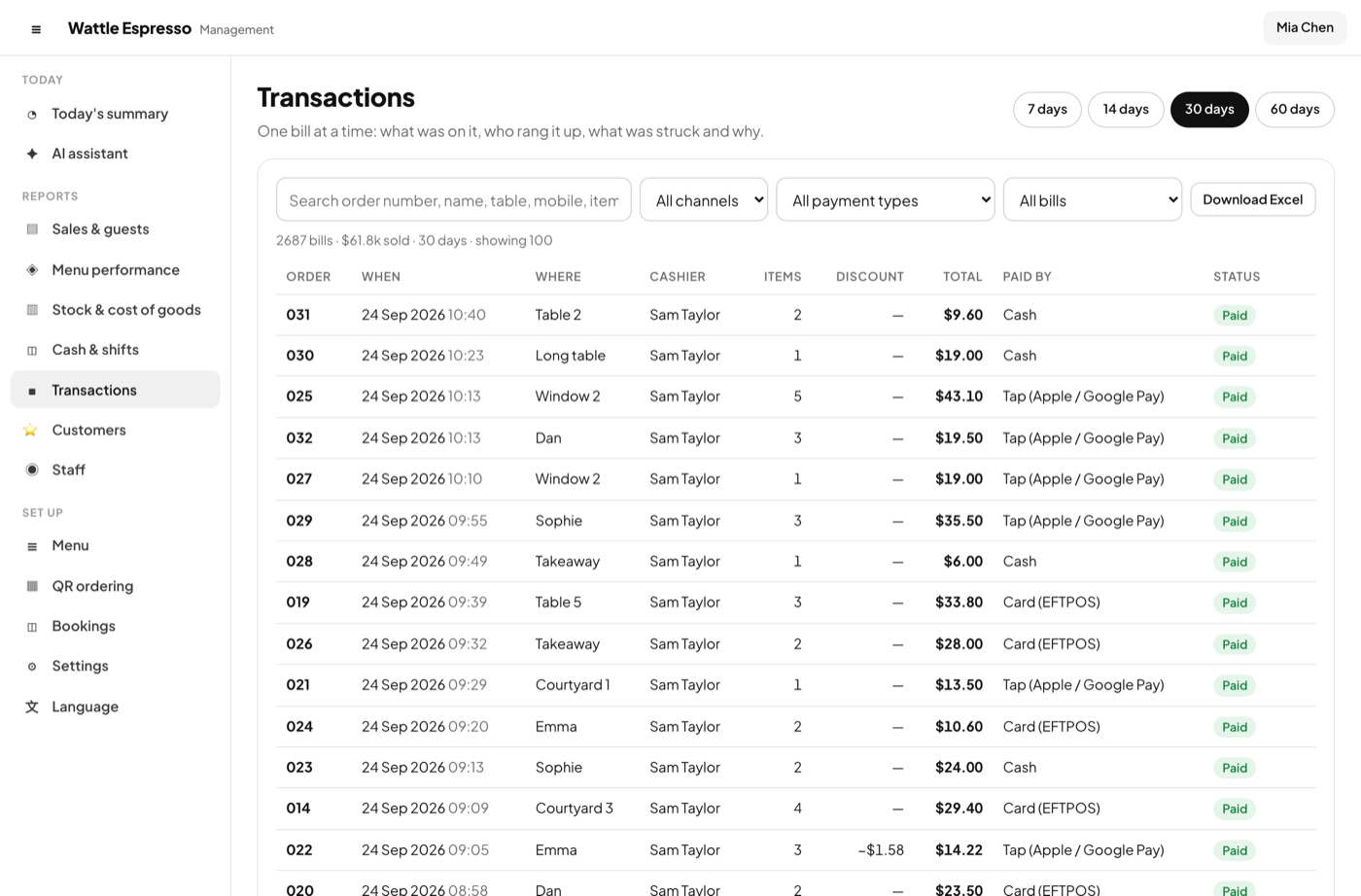
Every bill on record.

  • Search any bill, see its lines, log, strike reasons and payments
  • Export the range to Excel with a click
  • Voids and comps with who and why
Transactions

The menu

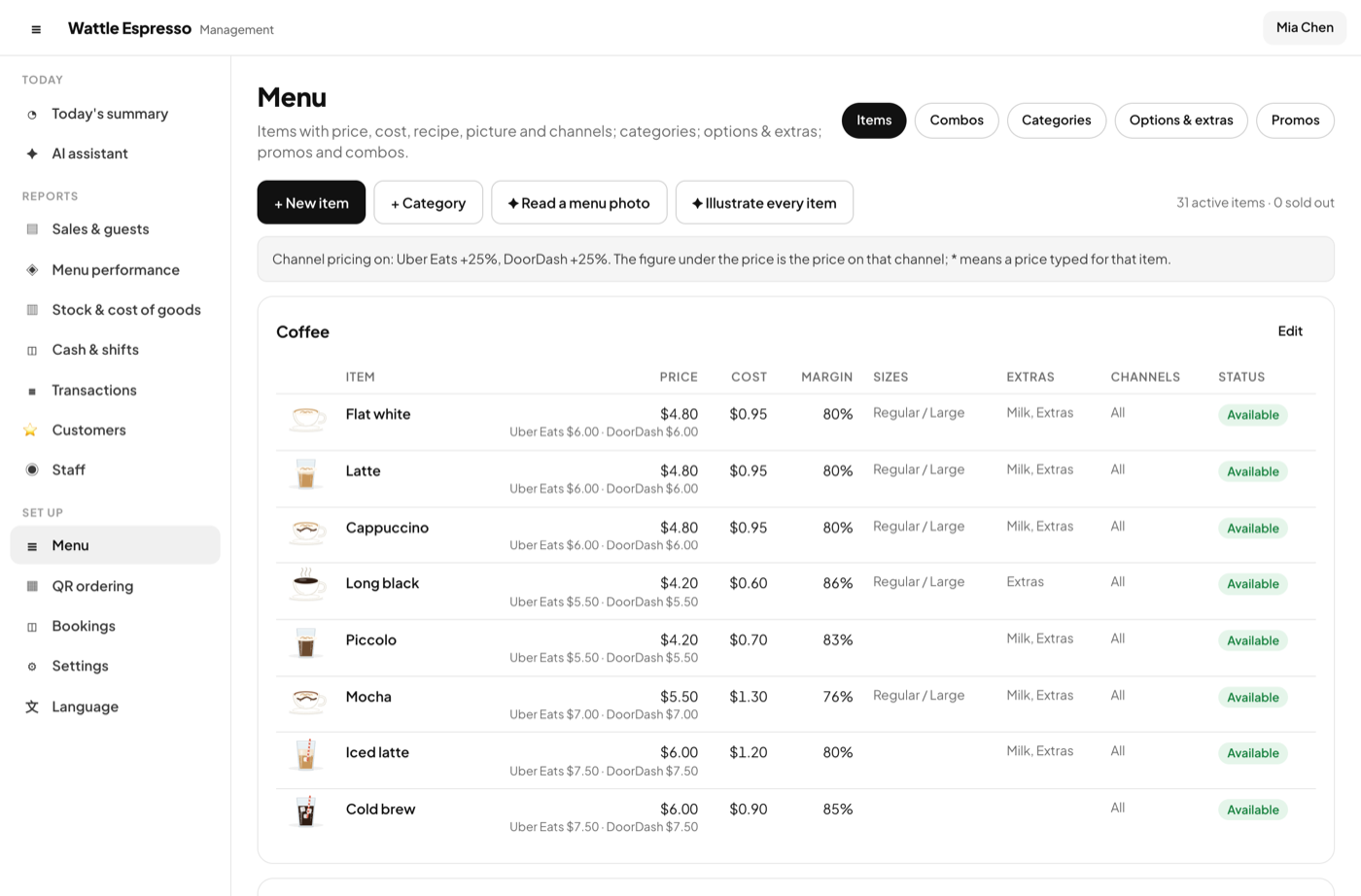
Categories, items with a picture, sizes, option groups, combos and promos.

  • Draw a picture from a small kit or upload a photo
  • A recipe per item, for the cost of goods
  • A price per channel, or a mark-up rule for the whole menu
The menu

Customers and points

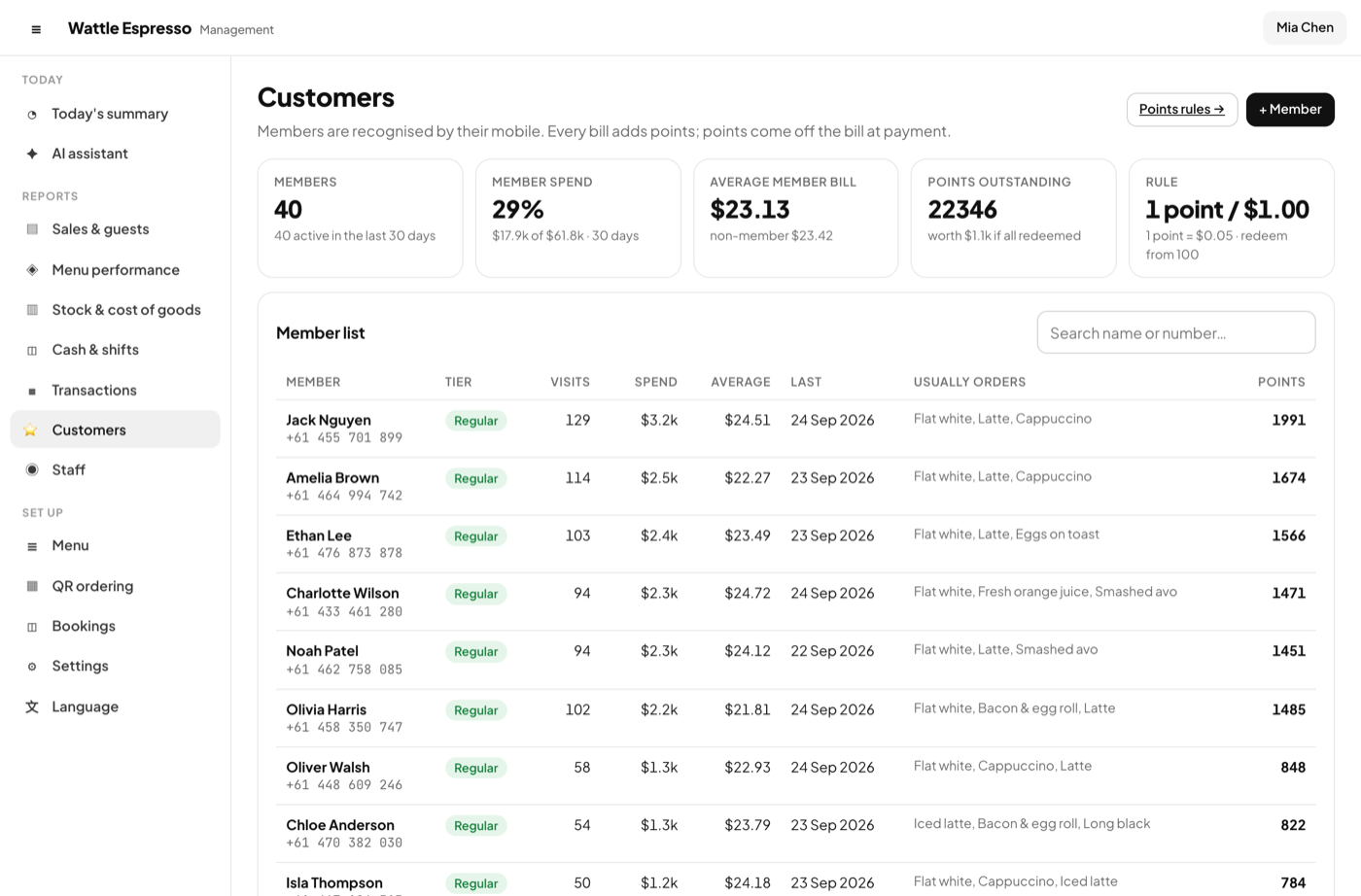
A mobile number is a member. Points come from spend and visits.

  • Set the earn rate, the value of a point, a stamp bonus and an expiry
  • Who came back, who lapsed, what each member buys
  • Points are redeemed on the bill at the till
Customers and points

Settings

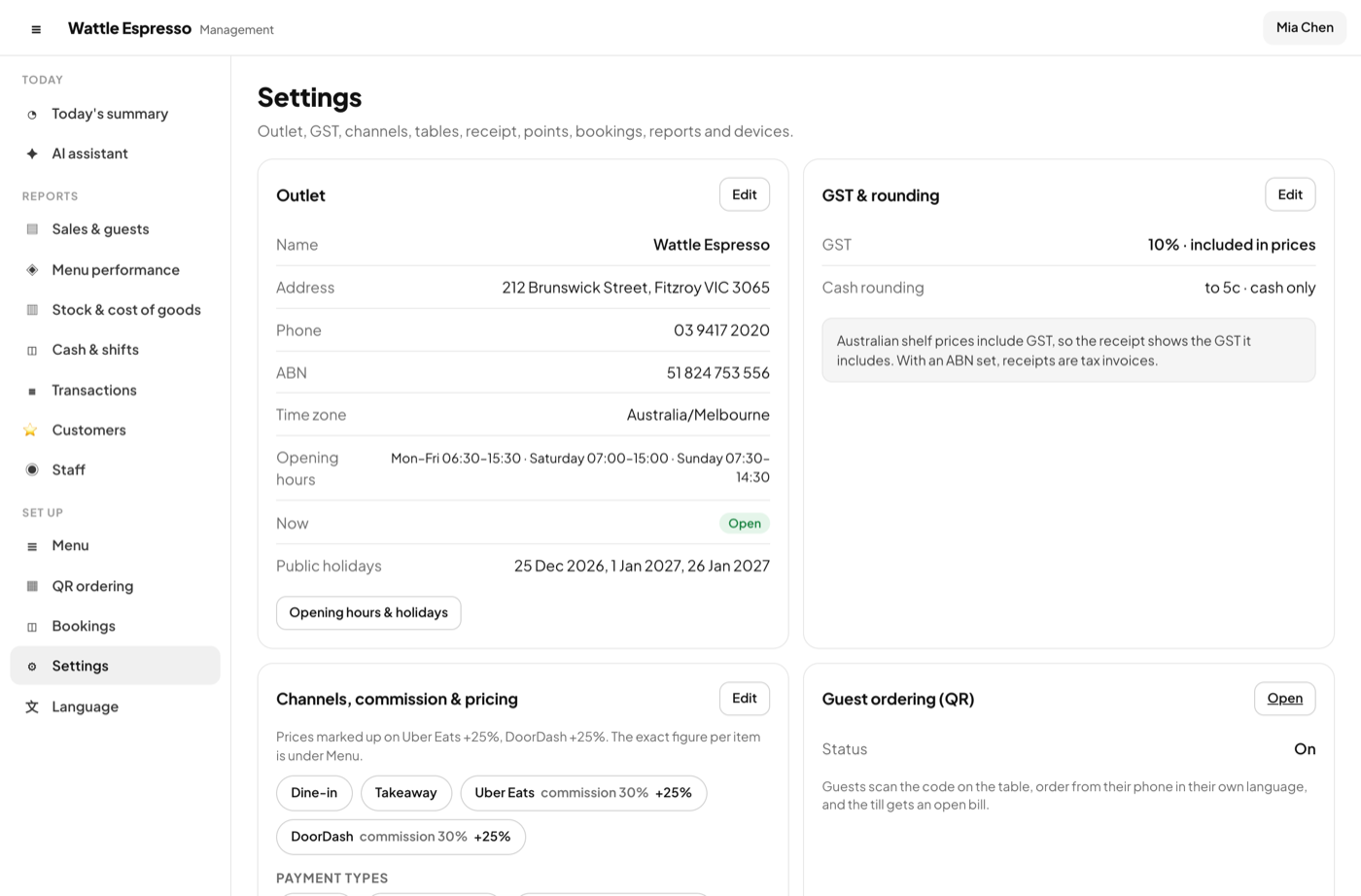
Outlet, GST and rounding, channels and commission, tables, receipt, bookings, reports, QR ordering.

  • Australian time zones; opening hours and public holidays
  • A mark-up rule per delivery channel, rounded to a figure that looks like a price
  • Daily, weekly and monthly reports by email
Settings

Language and look

English, 中文 or 한국어; white by day, black by night.

  • Each device keeps its own language and theme
  • Match the device, or pick light or dark
  • Big-text or picture buttons on the till
Language and look

Worth knowing

The rules, in plain words

Numbers before narrative

Every figure is computed in the app. The assistant, when a key is set, explains a figure it was given; it never makes one up.

Owner and manager

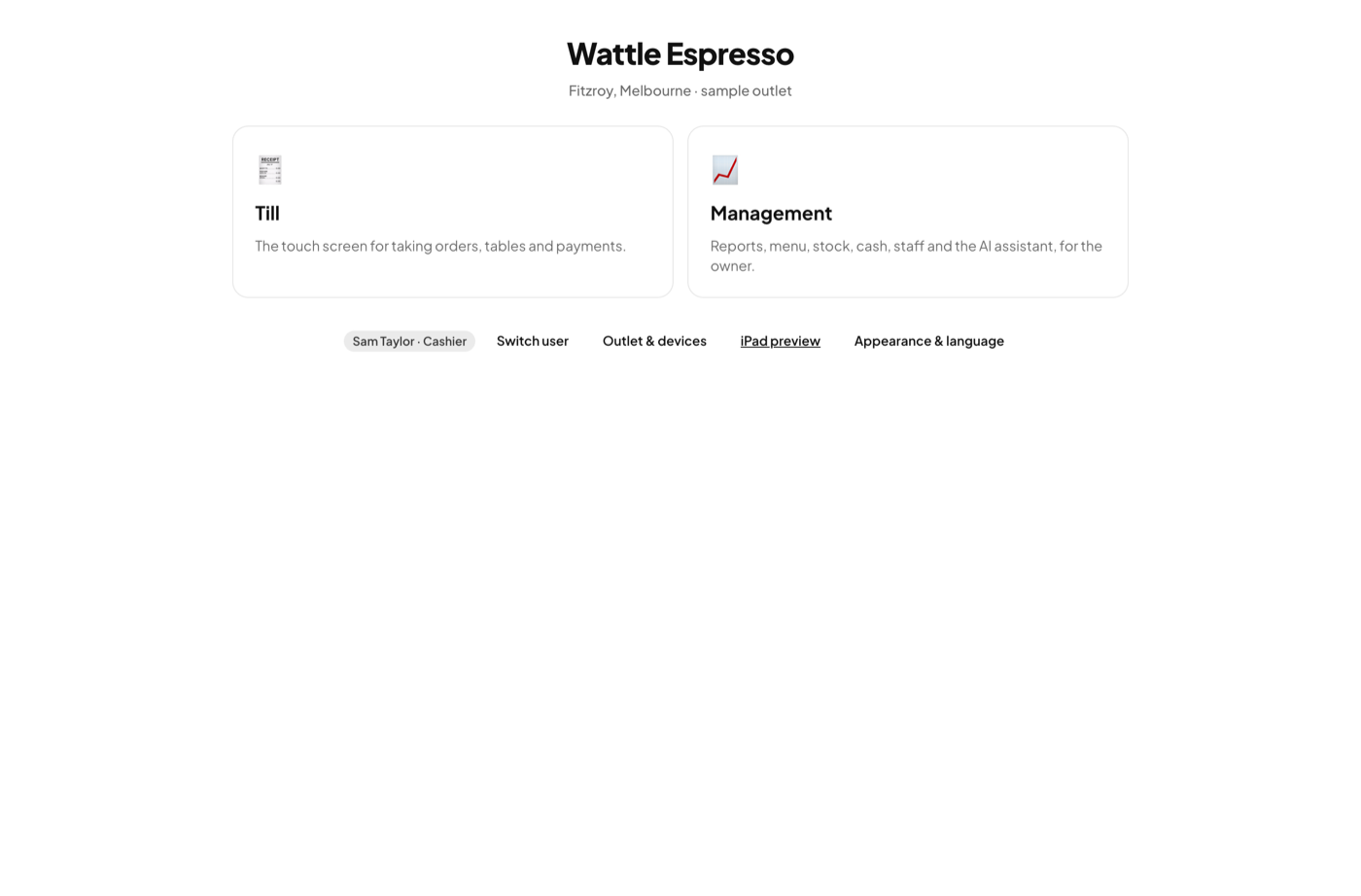
The owner and managers open management; a cashier opens the till. PIN per person.

Several venues

Each venue is its own key. Switch between them on one laptop, or compare them side by side.

Excel, not CSV

Reports leave as workbooks with real numbers and dates, so nothing is guessed at on the way in.

See it working, then make it yours

The demo is the real app with two sample venues — a Fitzroy cafe and an all-you-can-eat Korean BBQ — and 60 days of trade. Nothing to install, nothing to sign up for.